Startup and function expansion with individual parameters
The basic functionality of the MOVIMOT® drive can be expanded by using individual parameters.
INFORMATION

Startup in "Expert" mode is only possible if:
- No additional function is activated (DIP switch S2/5 - S2/8 is set to "OFF")
- The Drive ID module is plugged in
- And parameter P805 Startup mode = "Expert mode" is set.
- Perform startup in "Easy" mode.
- See chapter Easy startup
- Connect the PC/laptop or the DBG keypad to the MOVIMOT® inverter.
- See chapter PC/laptop connection or chapter DBG keypad connection.
- Connect the 24 V supply of the MOVIMOT® inverter.
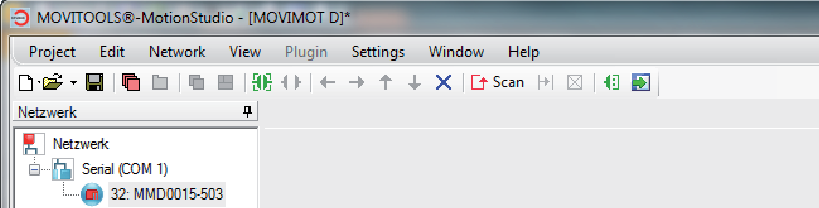
- When using a PC/laptop, start MOVITOOLS® MotionStudio and integrate the MOVIMOT® inverter.
- Set parameter P805 Startup mode to "Expert".
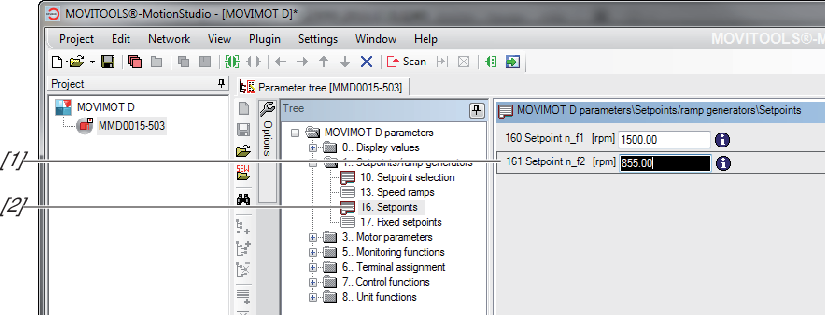
- Specify the parameters which you want to change.
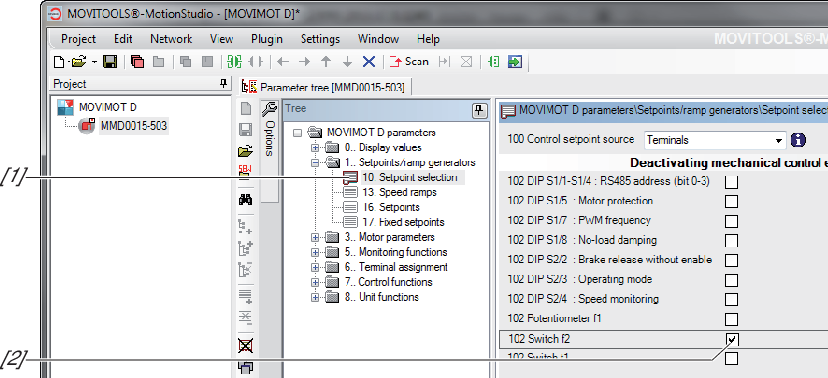
- Check whether these parameters depend on the mechanical control elements.
- Deactivate the respective control elements by adjusting the bit-coded selection box of parameter P102.
- See chapter Parameter 102
- Change the set parameters.
- For information on parameter setting with the DBG keypad, refer to chapter Parameter mode.
- Check the functionality of the MOVIMOT® drive.
Optimize the parameters if necessary. - Disconnect the PC/laptop or the DBG keypad from the MOVIMOT® inverter.
- Reinstall the screw plug of the setpoint potentiometer with the seal.
Additional information