Parameter mode
In the "PARAMETER MODE" menu, you can check and change the settings of parameters.
To change parameters in parameter mode, proceed as follows:
1. | Use the  key to call up the context menu. The "PARAMETER MODE" menu item is in the second position. key to call up the context menu. The "PARAMETER MODE" menu item is in the second position. | | 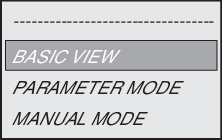
|
2. | Press the  key to select the "PARAMETER MODE" menu item. key to select the "PARAMETER MODE" menu item. | | 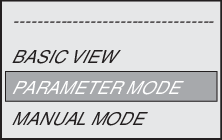
|
3. | Press the  key to select "PARAMETER MODE". The first display parameter P000 "SPEED" appears. key to select "PARAMETER MODE". The first display parameter P000 "SPEED" appears.
Use the  or key to select main parameter groups 0 – 9. or key to select main parameter groups 0 – 9. | | 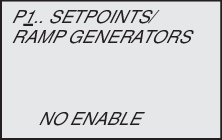
|
4. | Press the key to activate the parameter subgroup selection in the required main parameter group. The flashing cursor moves one digit to the right. | | 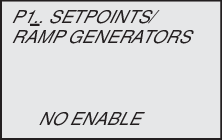
|
5. | Use the or key to select the desired parameter subgroup. The flashing cursor is below the number of the parameter subgroup. | | 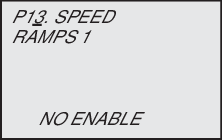
|
6. | Press the key to activate the parameter selection in the required parameter subgroup. The flashing cursor moves one digit to the right. | | 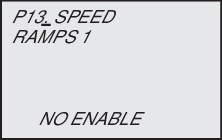
|
7. | Use the or key to select the desired parameter. The flashing cursor is positioned under the third digit of the parameter number. | | 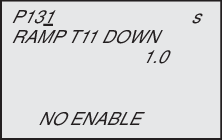
|
8. | Use the key to activate the setting mode for the selected parameter. The cursor is below the parameter value. | | 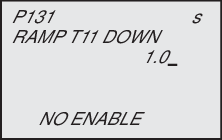
|
9. | Use the key or the key to set the required parameter value. | | 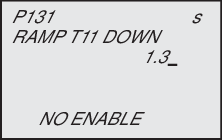
|
10. | Press the key to confirm the setting. To exit the setting mode, press the  key. The flashing cursor is positioned again under the third digit of the parameter number. key. The flashing cursor is positioned again under the third digit of the parameter number. | | 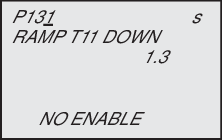
|
11. | Use the or key to select another parameter, or press the  key to switch to the menu of the parameter subgroups. key to switch to the menu of the parameter subgroups. | | |
12. | Use the or key to select another parameter subgroup or press the key to switch to the menu of the main parameter groups. | | |
13. | Use the key to return to the context menu. | | |