Integrating MOVIMOT® into MOVITOOLS® MotionStudio
INFORMATION

For a detailed description of the following steps please refer to the comprehensive online help in MOVITOOLS® MotionStudio.
- Start MOVITOOLS® MotionStudio.
- Create a project and a network.
- Configure the communication channel on the PC/laptop.
- Make sure that the 24 V supply of the MOVIMOT® inverter is connected.
- Perform an online scan.
- Check the set scanning range in MOVITOOLS® MotionStudio.
INFORMATION
- The diagnostic interface has fixed address 32. Adapt the scanning range in MOVITOOLS® MotionStudio so that address 32 is also scanned.
- The baud rate is 9.6 kBaud.
- The online scan may take a longer time.
- MOVIMOT® is displayed in MOVITOOLS® MotionStudio as shown in the example below:
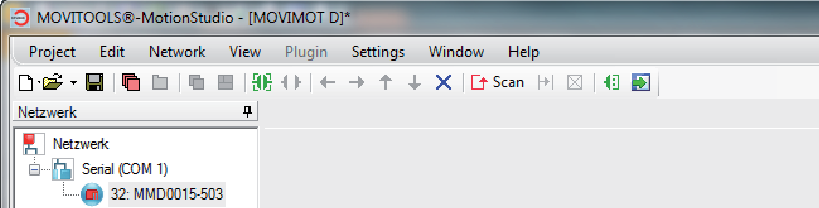
- By right-clicking "32: MMD0015-503", tools for startup and diagnostics of MOVIMOT® are available in the context menu.
