Connection of DBG keypad
MOVIMOT® drives are equipped with an X50 diagnostic interface (RJ10 connector) for startup, parameterization, and service.
The X50 diagnostic interface is located underneath the screw plug on top of the MOVIMOT® inverter.
Before inserting the connector into the diagnostic interface, unscrew the screw plug.
Wait for the MOVIMOT® drive to cool down sufficiently before touching it.
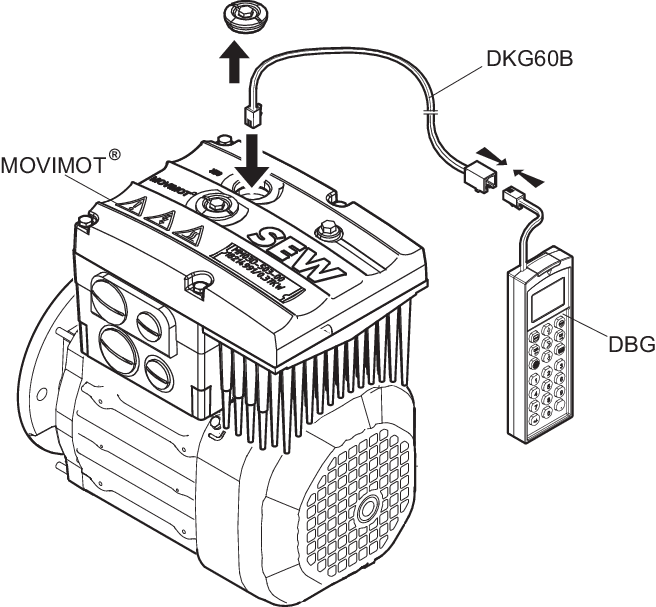

You can also connect the DBG keypad to the MOVIMOT® drive using option DKG60B (5 m extension cable).
Extension cable | Description (= scope of delivery) | Part number |
DKG60B |
| 08175837 |
