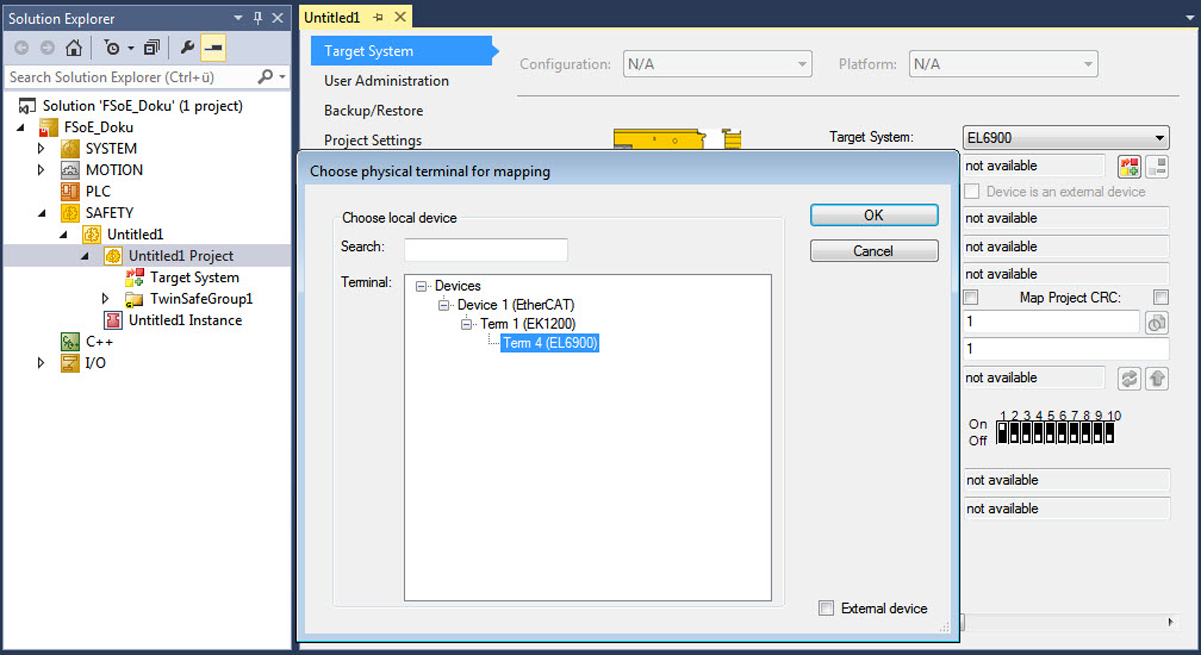
Configuring FSoE master
Proceed as follows:
- You have integrated the inverter into a TwinCAT project by network scan or offline from the device catalog (see EtherCAT®: Integrating an inverter by scanning the network or EtherCAT®: Integrating inverters offline).
- You have established the non-safe EtherCAT® communication and checked that it is functioning without errors.
- Activate the "Configuration" operating mode.
- In the [I/O] > [Devices] area of the project management, double-click the EtherCAT® slave and select the "Slots" tab.
- Insert the FSoE Safety I/O 48 bit (0x04020081) FSoE module into the corresponding slot:
Inverter | Slot |
|---|---|
| DriveSafety Axis1
|
MOVIDRIVE® modular MDD.. double-axis module – axis 2 | DriveSafety Axis2
|


INFORMATION

With a MOVIDRIVE® modular MDD90A double-axis module (size 2), you can use either both axis halves independently of one another or both halves simultaneously with MOVISAFE® CSS..A safety cards.
In this case, insert the FSoE modules accordingly.
- Link the hardware of the FSoE master either via the backplane bus or via the EtherCAT® network with the engineering tool. Note that the FSoE address of the master in the tool must match the address of the hardware of the master.