EtherCAT®: Integrating inverters offline
Proceed as follows:
- You have already downloaded the device description file (ESI file) of the inverter from the SEW‑EURODRIVE homepage (www.sew-eurodrive.com) and saved it locally on the engineering PC.
- Start the TwinCAT 3 engineering tool and create a new TwinCAT project.
- Load the device description file into the project.
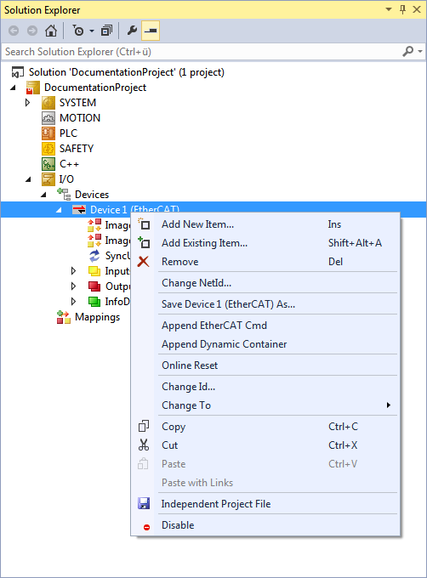
- In the project management, right-click to open the shortcut menu of the EtherCAT® slave in the [I/O] > [Devices] area, and add the inverter via the [Add New Item] menu item.
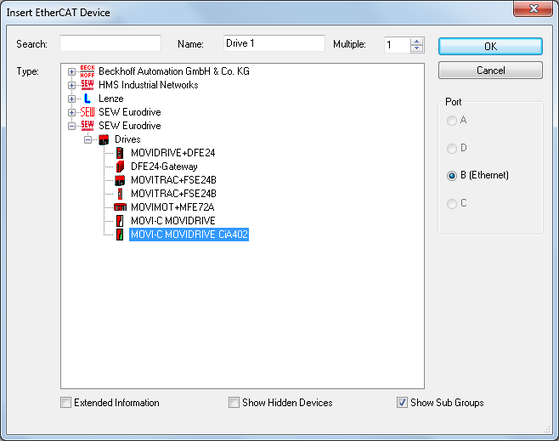
- Transfer the inverter from the catalog to the I/O configuration.