Measuring in PLC mode
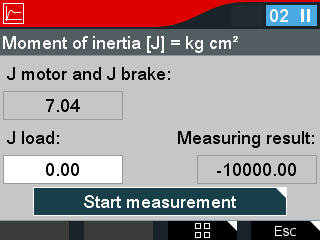

Proceed as follows:
- Select Drive train optimization > Load moment of inertia > Measuring in PLC mode in the menu.
- Start measurement is preselected.
- Press the <OK> key.
- The travel cycles for measuring the load moment of inertia are performed by the PLC.
- The measurement is performed.
- To stop the measurement, press the <OK> key.
- If a successful measurement has been performed, "Apply" is displayed.
- To overwrite the entry for J load with the measurement result, press the <OK> key.
- You have optimized the drive train.
