Motion Axis: Linking double-axis module
The second axis of a MOVIDRIVE® modular double-axis module MDD.. with CiA402 device profile must be created and linked manually in the I/O configuration. The CiA402 axis can also be linked directly to a motion axis.
Proceed as follows:
- You have created the second axis of the double-axis module in the slot configuration (see EtherCAT®: Adjust the slot configuration, generate double-axis module).
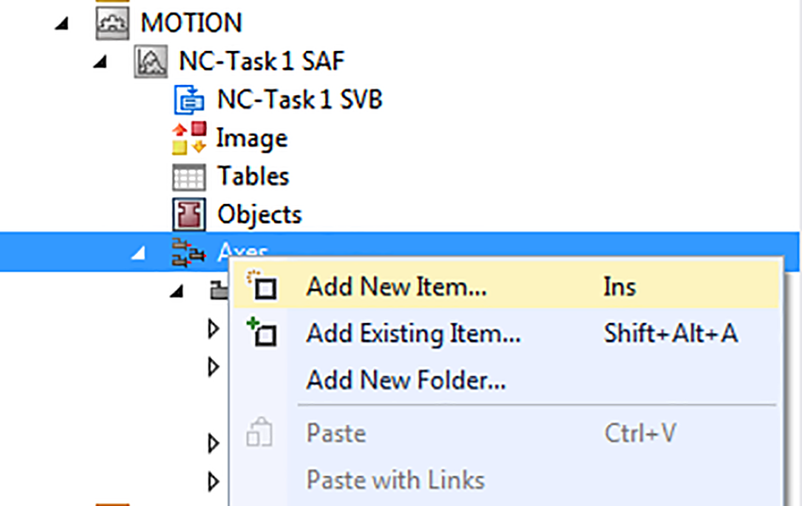
- Create a new motion axis. In the project management, right-click to open the shortcut menu of the "Axis" entry in the "MOTION" area, and select the [Add New Item] menu command.
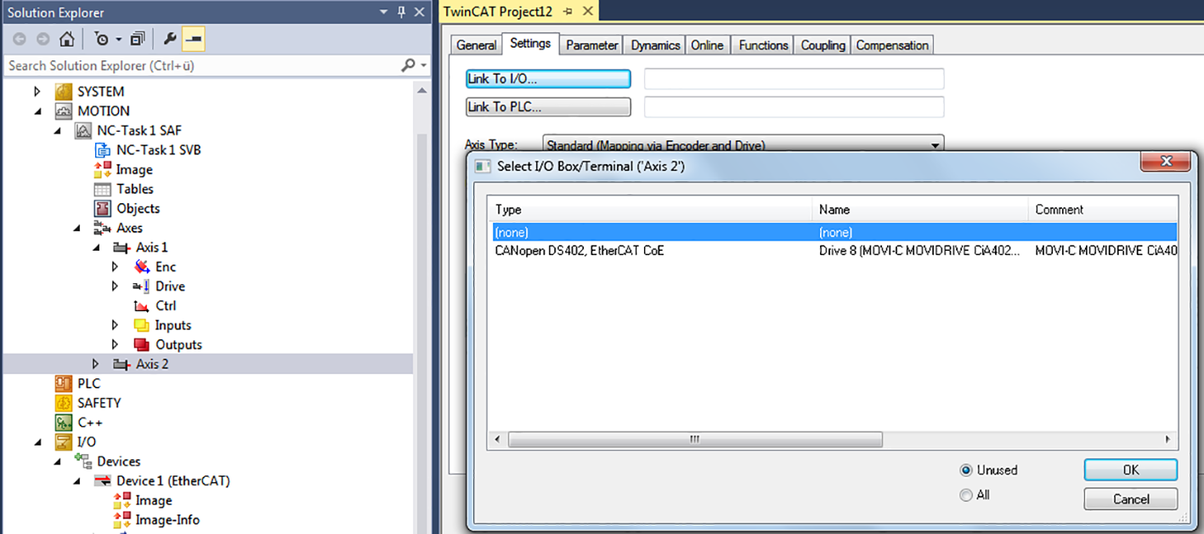
- Double-click the new motion axis (in this case: Axis 2) and select the "Settings" tab. Click the [Link to I/O] button.
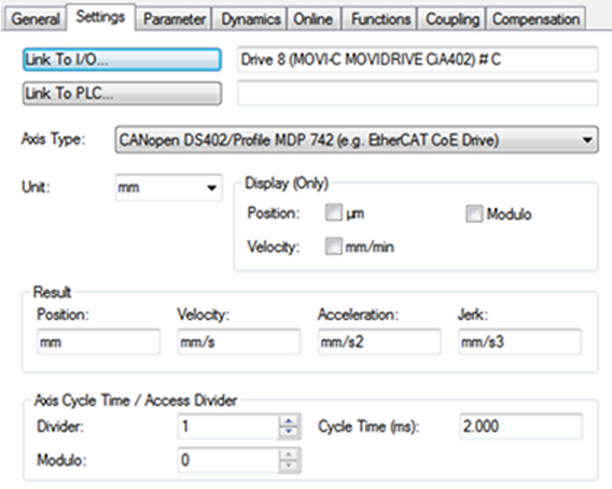
- Select the manually created second axis of the double-axis module and link it to the motion axis.