Adapting the PDO image
Up to 8 objects with 32-bit word width each can be added to the image of the process data objects (PDOs) of the inverter. This makes it possible to insert manufacturer-specific process values into the PDO image in addition to the objects required for the respective modes of operation.
Proceed as follows:
- You have integrated the inverter into the TwinCAT project via network scan or offline from the device catalog (see Integrating the inverter into an EtherCAT® network).
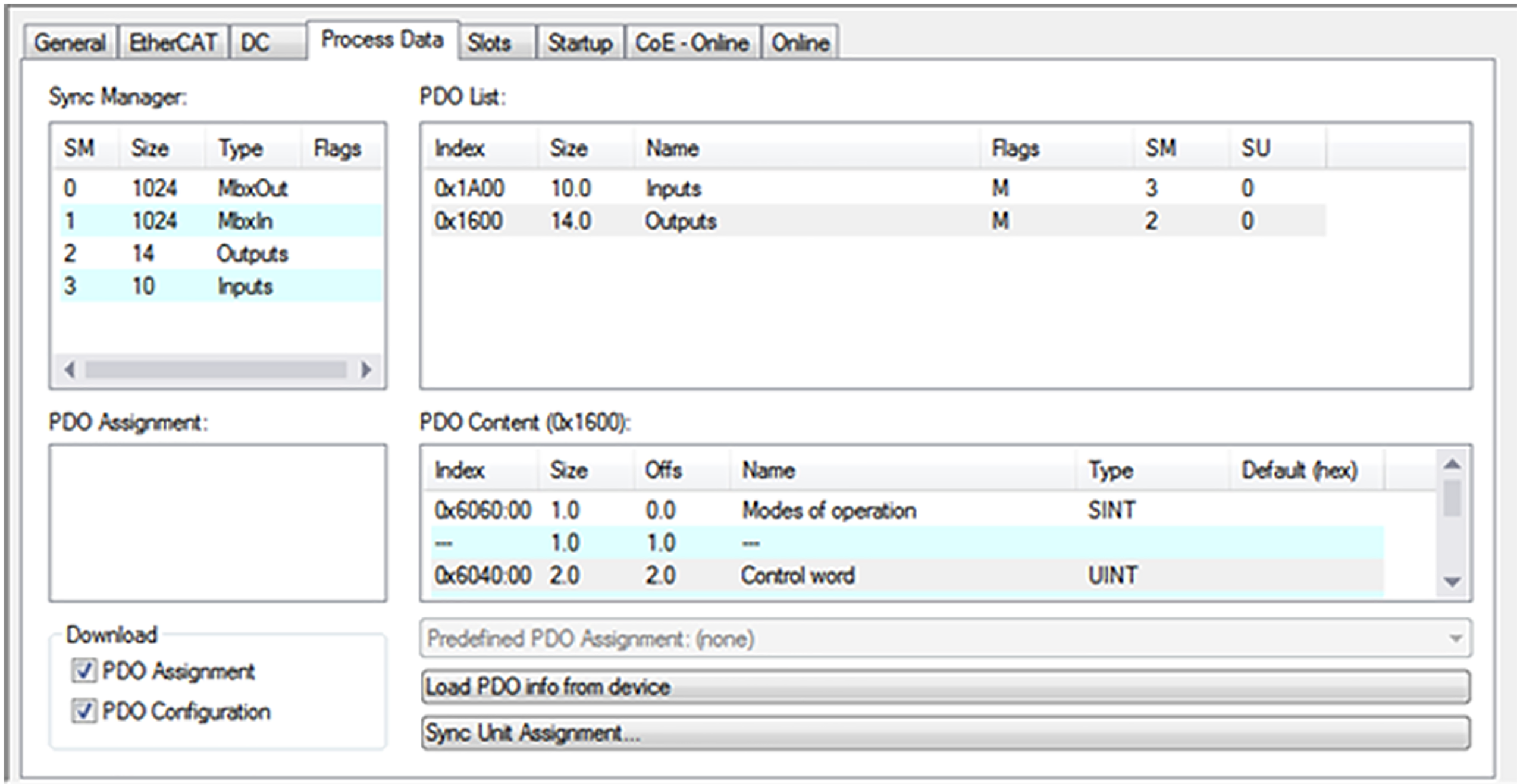
- In the [I/O] > [Devices] area of the project management, double-click the EtherCAT® slave and select the "Process data" tab.
- Select either the Outputs or Inputs PDO image depending on whether output objects or input objects are to be added.
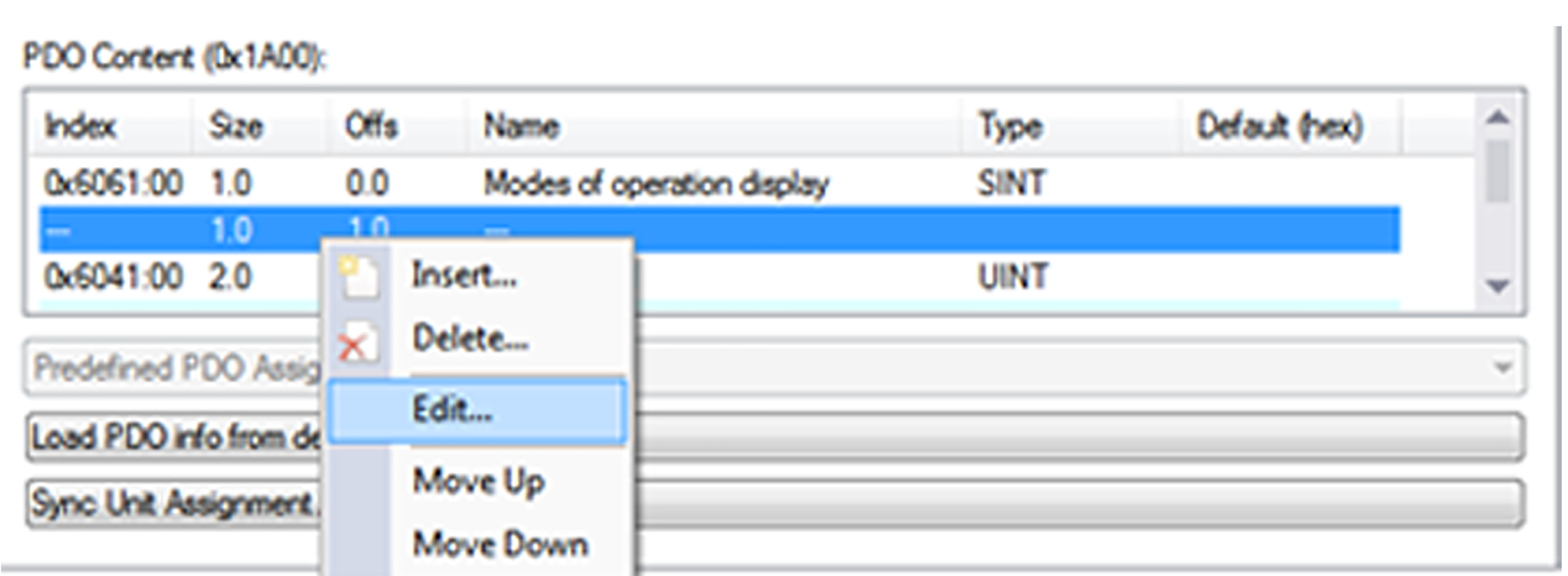
- Open the shortcut menu of the process data objects ("PDO Content" field) by right-clicking and add the required object:
- Select the [Edit] menu command to insert a predefined object from the object dictionary.
- Select the [Insert] menu command to insert a manufacturer-specific process value by entering the corresponding "Index" and "Subindex". The name of the object can be freely assigned. For example, for the inverter from SEW-EURODRIVE, the following process values with 32-bit word width can be inserted into the PDO image:

Process value | Name | Index | Subindex |
|---|---|---|---|
DC link voltage | DC link voltage | 8364 | 160 |
Absolute torque-generating current | OutputCurrent | 8364 | 118 |
INFORMATION