Motion axis: Integrating inverters
An inverter with CiA402 device profile is integrated into the EtherCAT® network in the same way as an inverter with SBusPLUS device profile. The CiA402 axis can also be linked directly to a motion axis.
Proceed as follows:
- You have detected the inverter with CiA402 device profile via network scan or marked it offline in the device catalog of the TwinCAT project (see Integrating the inverter into an EtherCAT® network).
- Accept the inverter in the I/O configuration.
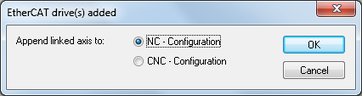
- Confirm the prompt that appears asking if you want to link the inverter directly with the motion axis.
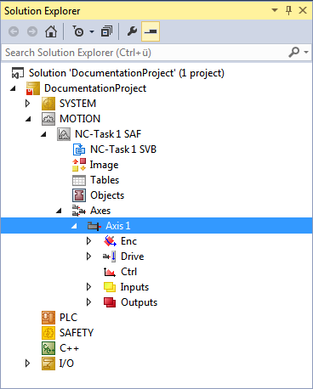
- In the project management, a motion task with an already linked motion axis is created in the "MOTION" area.
- The linked motion axis is also displayed in the "I/O" area.
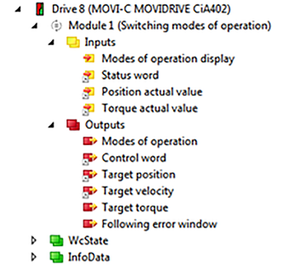
- Use a functionally fixed module if required. To do this, in the [I/O] > [Devices] area of the project management, double-click the desired EtherCAT® slave and select the "Slots" tab. Apply the desired module from the list:

- csp
- csv
- Switching modes of operation pp/pv (default setting)
