Configuring a safe communication channel
If a device with integrated safety option is controlled via PROFIsafe, you must configure the safe communication channel.
INFORMATION

This example describes the procedure for a configured and approved MOVISAFE® CSS21A safety option. The configuration of a safety option is described in the product manual of the respective device.
MOVISUITE® provides the following functions for safety options:
- Startup of the safety sub-functions
- Reading and partially writing safe F-parameters, such as F_iPar_CRC, F_WD_Time, etc.
- Diagnosing PROFIsafe communication by monitoring F-process data
- Diagnosing the PROFIsafe device (e.g. status messages and error messages)
INFORMATION
The safety options can also be configured without using MOVISUITE® via the MOVISAFE® F‑Protocol Editor configuration tool (see chapter MOVISAFE® F-Protocol Editor).
Proceed as follows:
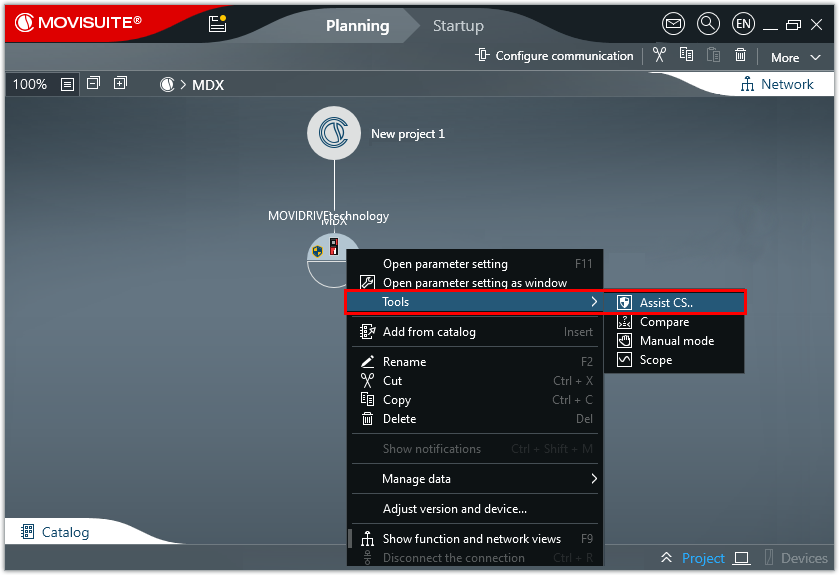
- Start the Assist CS.. tool.
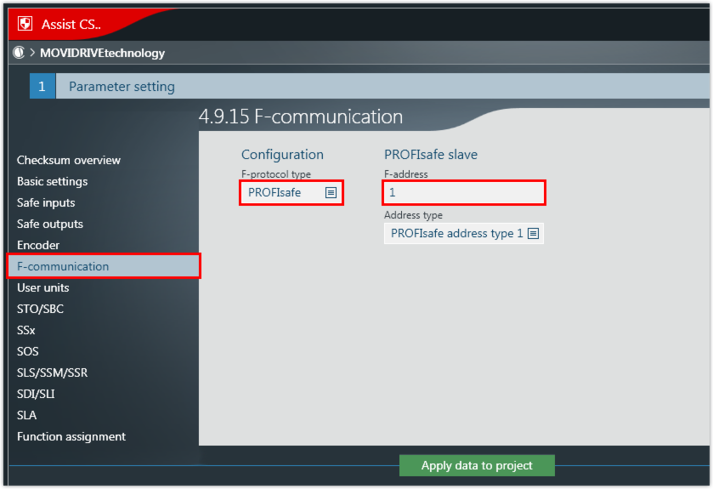
- Select the PROFIsafe F‑protocol and enter the F‑address. The F-address is the unique address of the safe communication node within a PROFIsafe network and is used for checking the authenticity of the connection.

INFORMATION
The following F-parameters are set in the engineering tool of the PROFIsafe controller (TIA Portal):
F_WD_Time – watchdog time that monitors the duration until the next valid PROFIsafe message is received
ParCRCBus (iPar_CRC) – checksum of all safety parameters in hexadecimal format
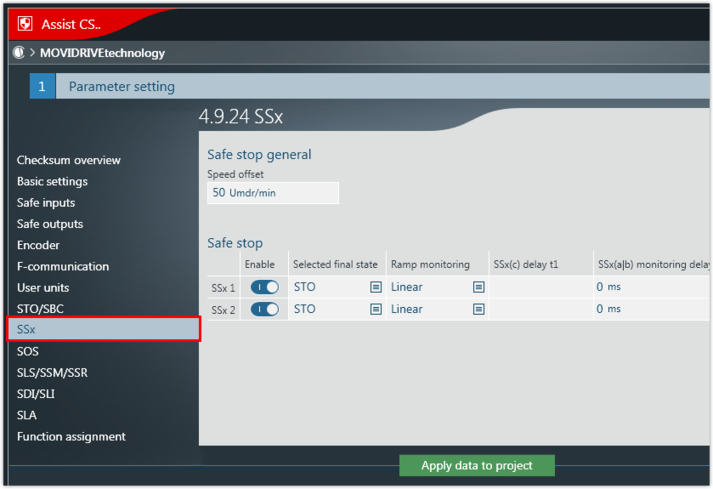
- Parameterize the required safety sub-function.
- In this example, the SSx safety sub-function is parameterized.
- Transfer the data from the Assist CS.. tool to the MOVISUITE® project.
- Enter the accepted checksum ParCRCBus (iPar_CRC) of the safety option in the PROFIsafe controller (see F_iPar_CRC).