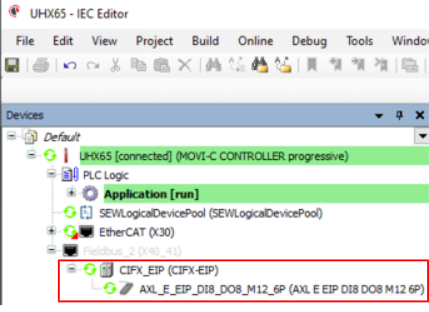
Parameterizing EtherNet/IP™ devices and process data
Proceed as follows:
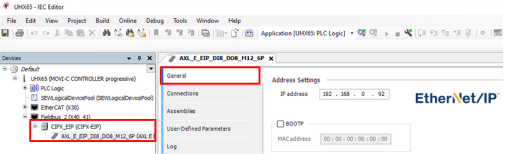
- Parameterize the EtherNet/IP™ device. To do so, adjust the EtherNet/IP™ and network settings to your requirements in the "General" tab.
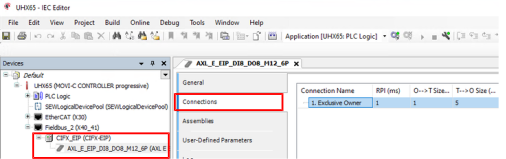
- Adjust the EtherNet/IP™ and network settings to your requirements in the "Connections" tab. Further application-specific changes may be required.
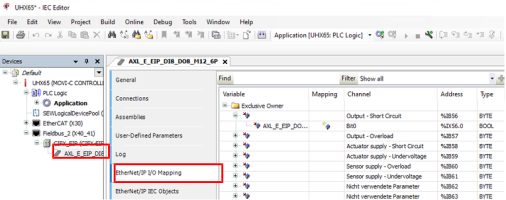
- Find the memory address of the process input and process output data in the "EtherNet/IP I/O map" tab.
- Compile the project using the menu command [Create] > [Generate code], log in using the menu command [Online] > [Log in], and start the application using the menu command [Debug] > [Start]. After a brief initialization phase, the fieldbus and the appended stations are ready for operation and a green symbol is displayed.