Appending a device
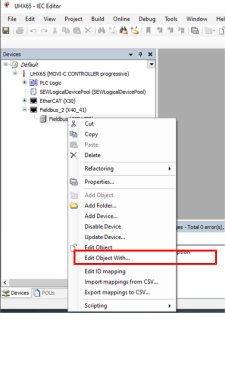
Proceed as follows:
Select the menu command [Append device].
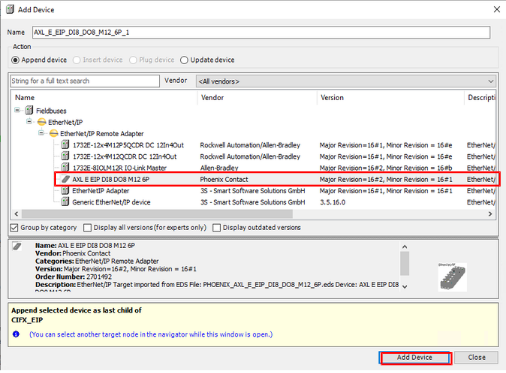
Select the desired device from the list.
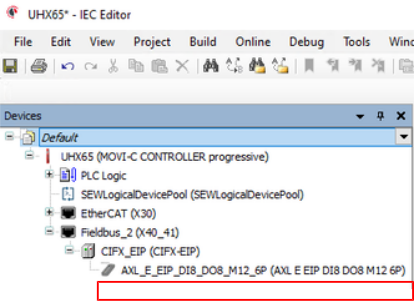
The
EtherNet/IP™
devices are now available in the IEC project.
❮
❯
MOVI-C® CONTROLLER progressive UHX65A-M
Language
Deutsch
English
Français
Español
Brasileiro
汉语
SEW-EURODRIVE
Home
Startup with EtherNet/IP™
Setting up the EtherNet/IP scanner
Adding EtherNet/IP™ devices
Appending a device