Configuration of the fieldbus stations
In the exemplary project, the following devices are fieldbus stations:
- The PLC serves as fieldbus master.
- The MOVI‑C® CONTROLLER serves as fieldbus slave.
Configuration and startup of the devices is performed in the following software:
- IEC editor (integrated in MOVISUITE®)
- TIA Portal, version V13
INFORMATION

The MOVI‑C® CONTROLLER in delivery state cannot be integrated in the PROFIBUS network. Only if the fieldbus option is integrated in the IEC program of the MOVI‑C® CONTROLLER, the MOVI‑C® CONTROLLER can be configured as fieldbus station.
The fieldbus stations are configured in several process steps:
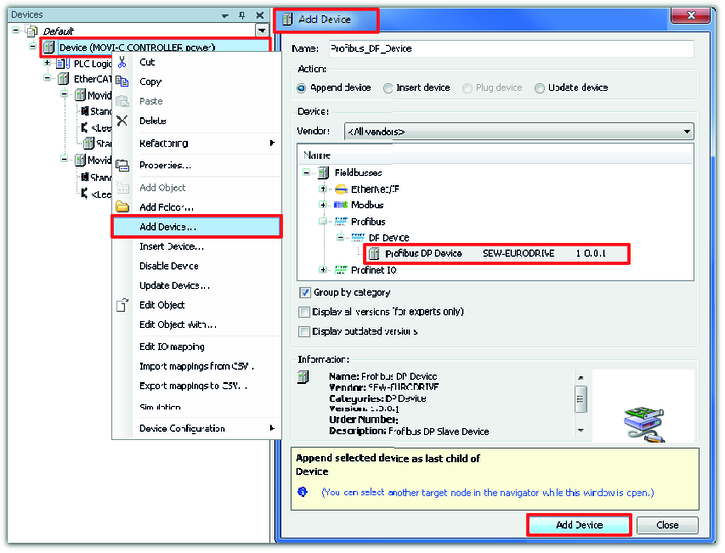
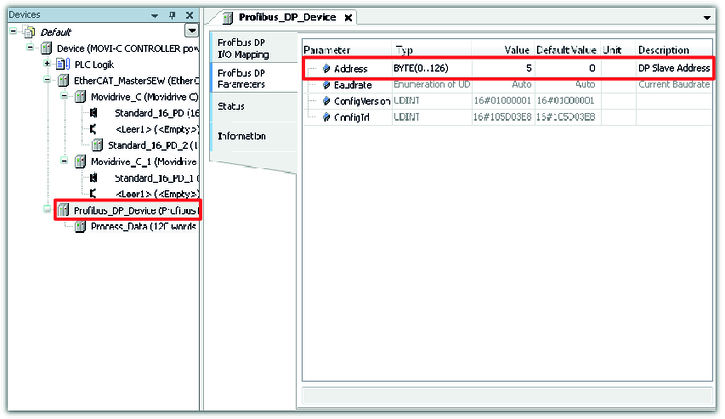
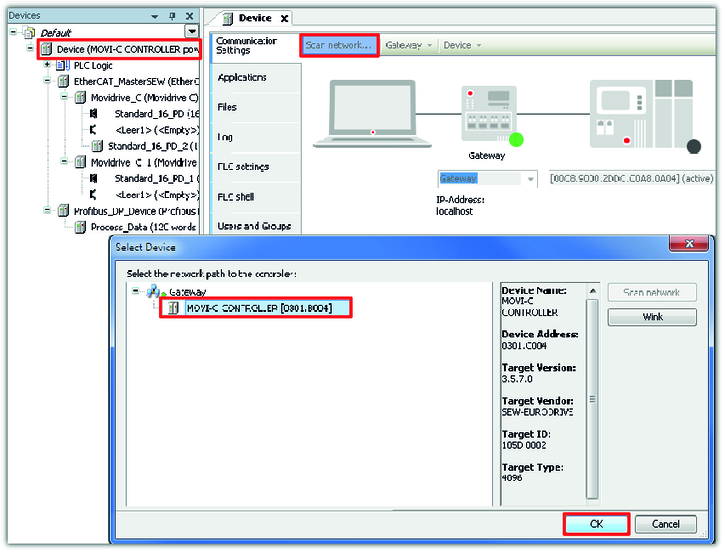
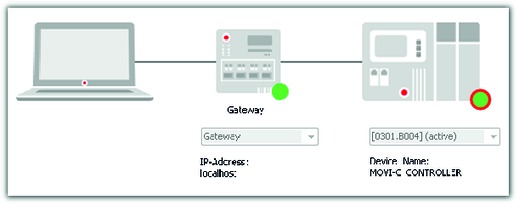
- Integrating and configuring the fieldbus option in the IEC program of the MOVI‑C® CONTROLLER
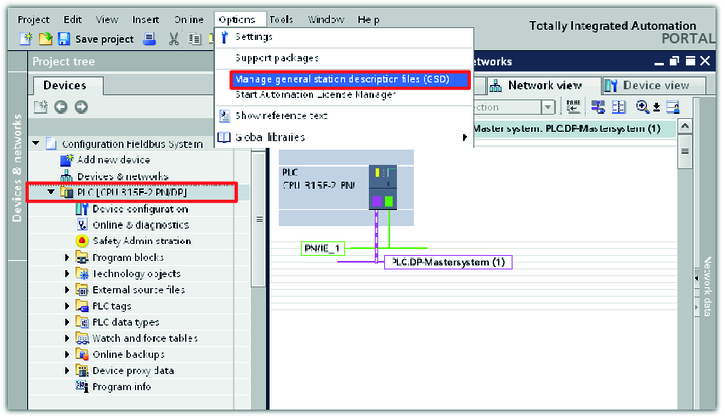
- Installing device description file of the MOVI‑C® CONTROLLER
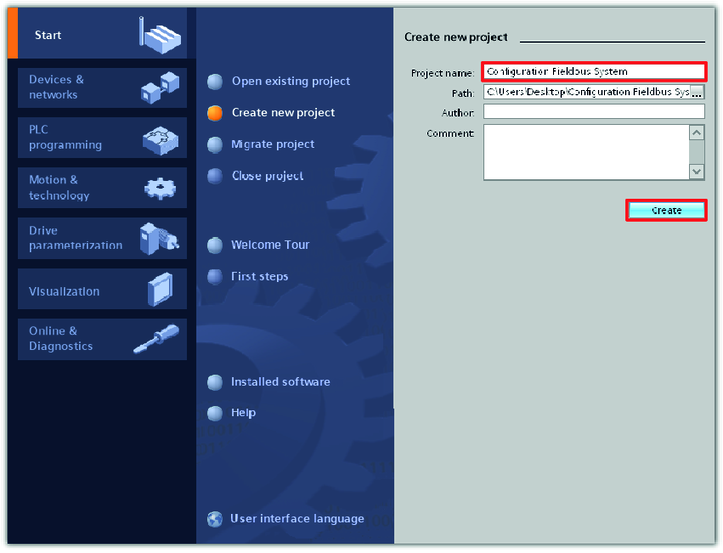
- Creating a project in TIA portal
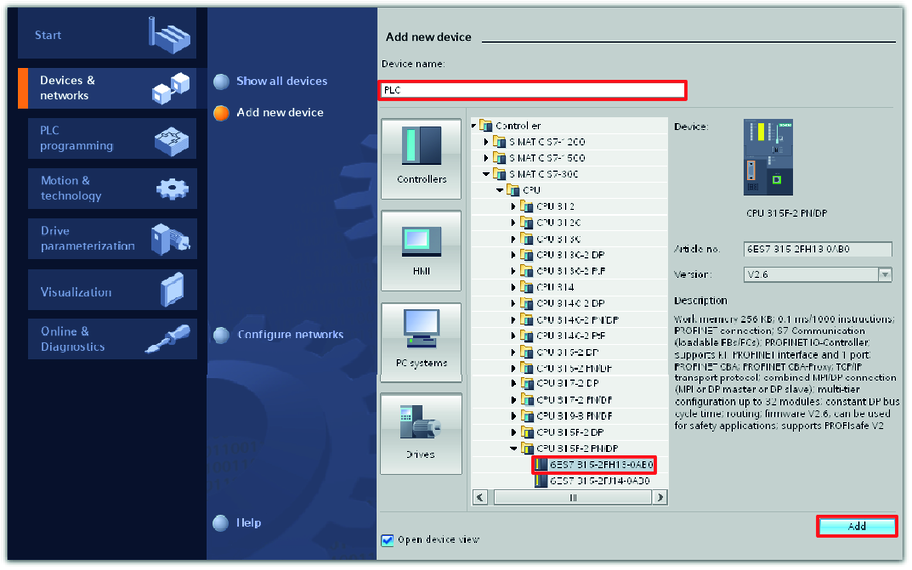
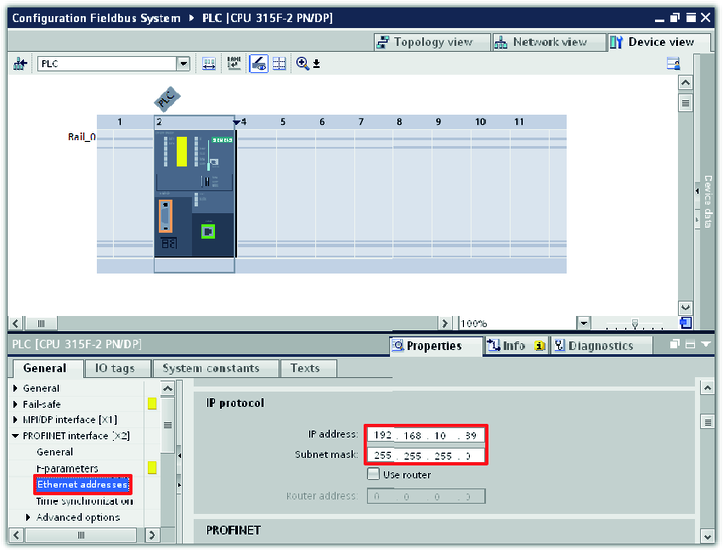
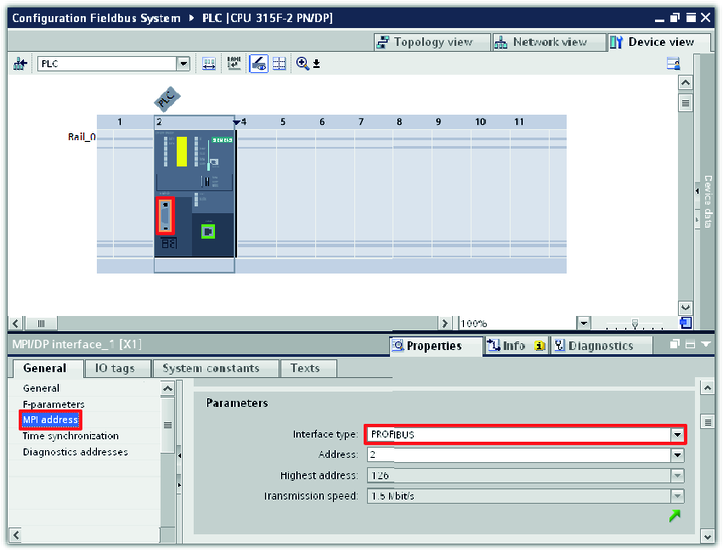
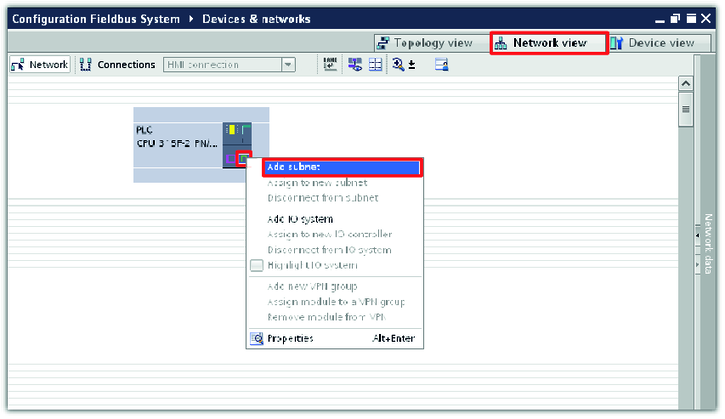
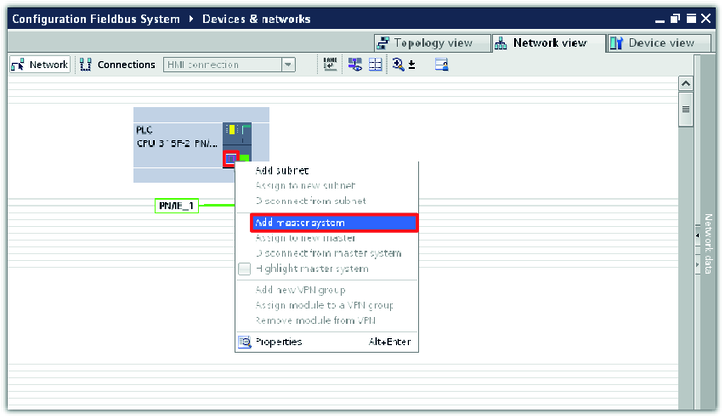
- Configuring PLC in TIA portal
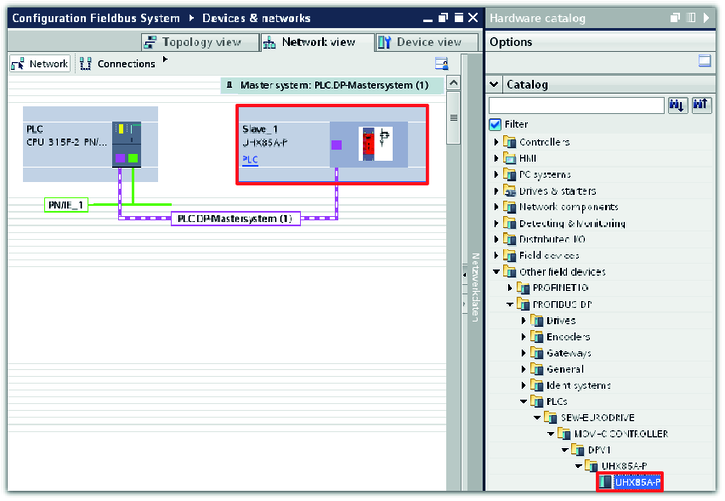
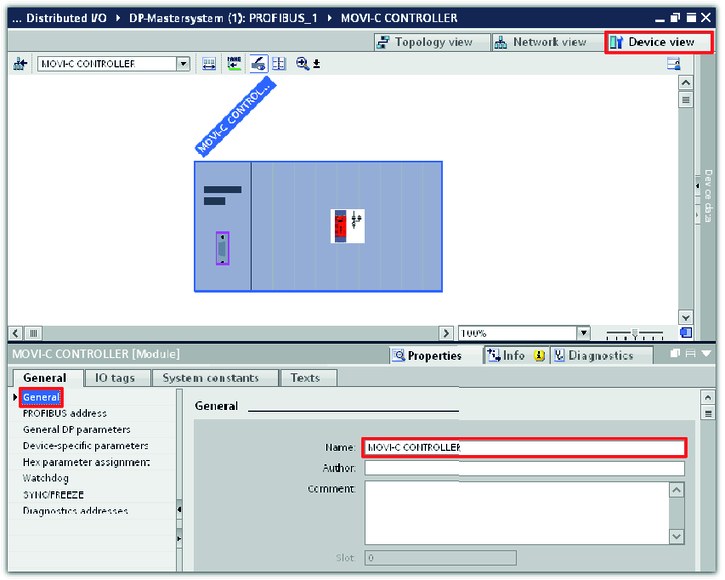
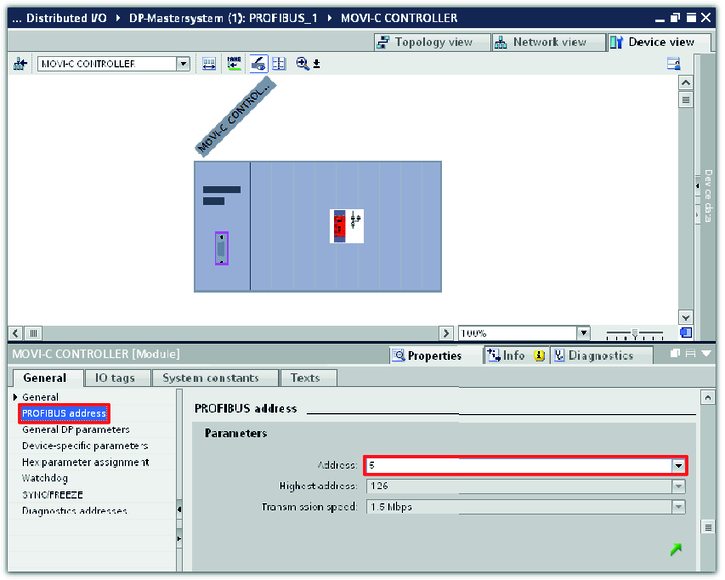
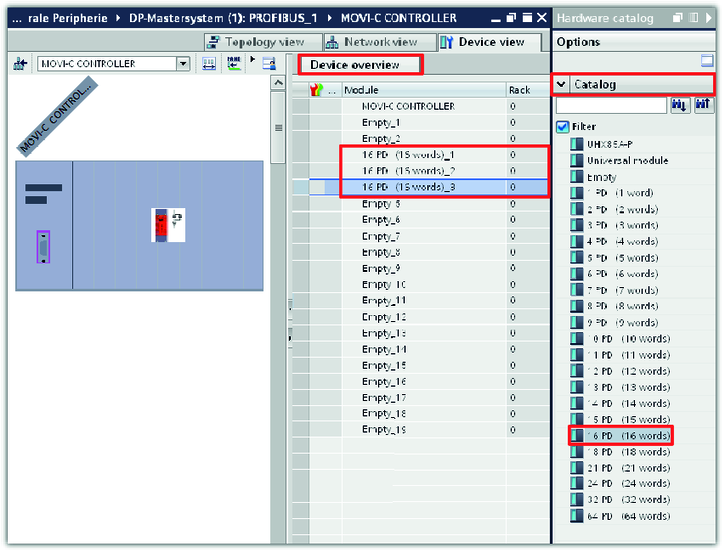
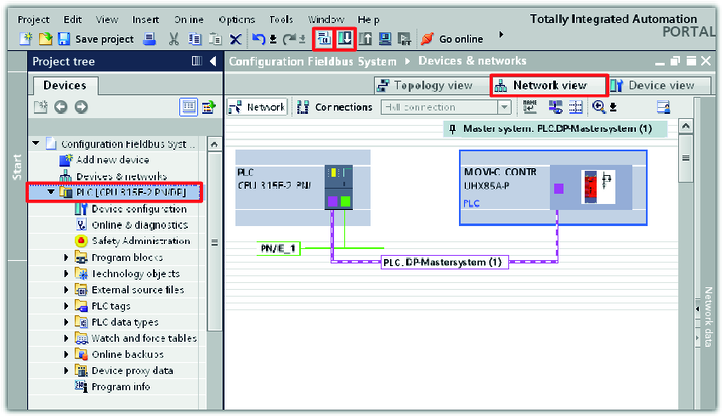
- Integrating and configuring MOVI‑C® CONTROLLER in PROFIBUS network
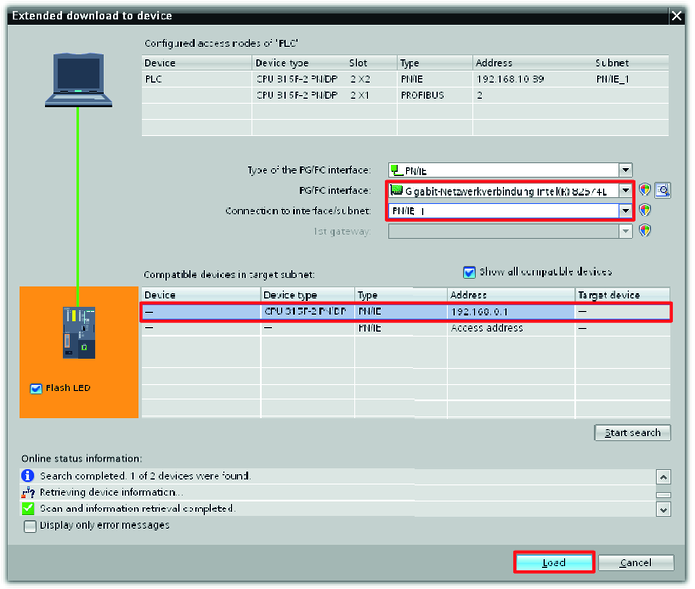
- Loading the project to the PLC
Additional information
- Integrating and configuring the fieldbus option in the IEC program of the MOVI‑C® CONTROLLER
- Installing device description file of the MOVI‑C® CONTROLLER
- Creating a project in TIA portal
- Configuring PLC in TIA portal
- Integrating and configuring MOVI‑C® CONTROLLER in PROFIBUS network
- Loading the project to the PLC