Loading the project to the PLC
Data (PROFIBUS address, process data) that have been assigned to the fieldbus stations during configuration are first only defined in the TIA portal project on the engineering PC. Only of the project is loaded to the PLC, the data is transferred to the PLC and activated.
Proceed as follows:
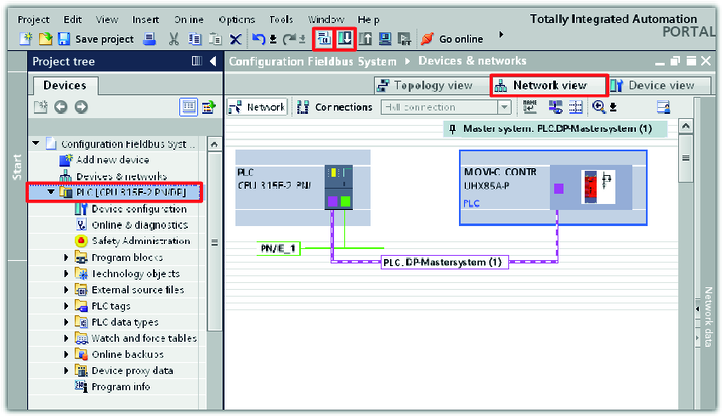
- Switch to network view in the hardware and network editor.
- Click on the corresponding icons to build the TIA portal project in machine code of the PLC and load the project to the PLC.
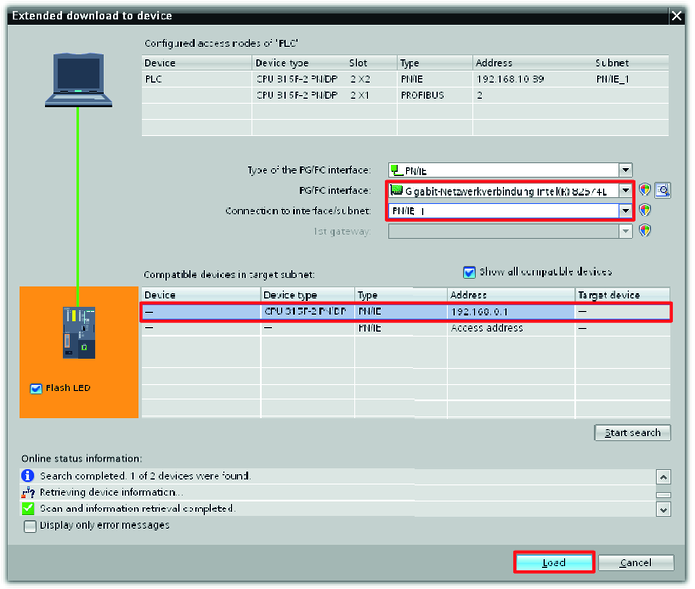
- A window with settings regarding loading is displayed.
- Set the used programming interface of the configured PLC and search for compatible stations in the PROFIBUS network.
- Mark the found PLC and add it to the TIA portal project.
- The project view is displayed again.
- Save the TIA portal project.

- Correct process data transfer between PLC and MOVI‑C® CONTROLLER can be tested.
