Creating a project in TIA portal
Proceed as follows:
- Start the TIA portal.
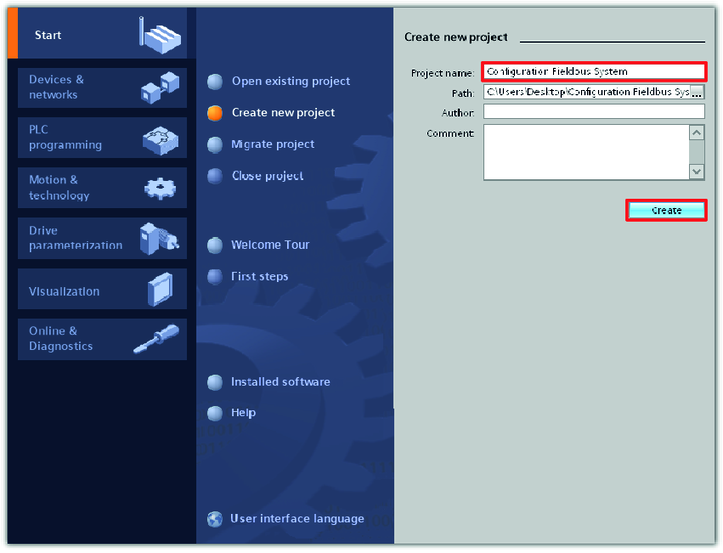
- Create a new TIA portal project. Enter a project name and determine the storage location of the project.
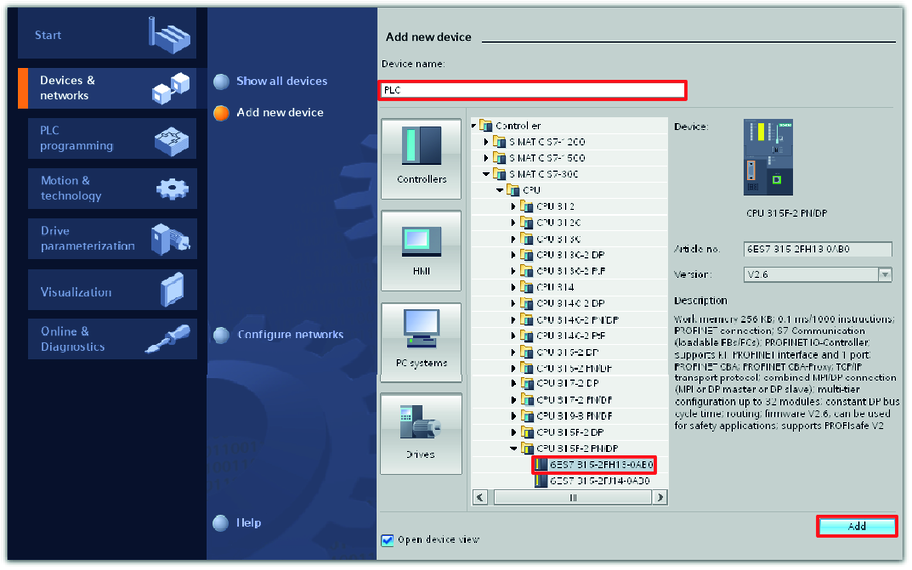
- Add the PLC to the project in the "Devices and networks" portal. Enter a device name.
- In this example, the device SIMATIC S7-300 with CPU 315F‑2 PN/DP has the device name "PLC".
- To configure the PLC, activate the "Open device view" check box.

- The project is created and displayed in the project overview.
- In the hardware and network editor (right section of the screen), the profile rail of the PLC is displayed.
