Configuring PLC in TIA portal
The properties and parameters of a device can be edited in the hardware and network editor in the inspector window (lower section of the editor).
Proceed as follows:
- Enter the IP address parameters of the PLC in the "Ethernet addresses" tab. Note that the IP address of thePLC is different from the IP address of all other network stations and thus is unique. The network address (here the first 3 address blocks) for all network stations must be identical and the station address (here the last address block) must be different for all network stations.
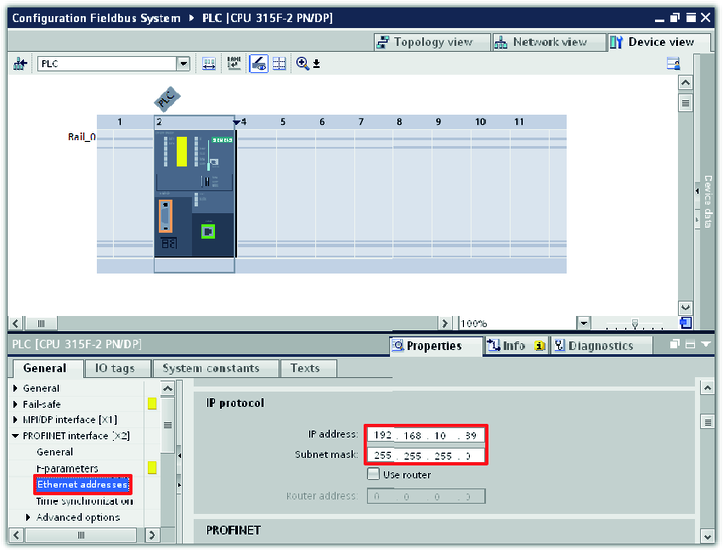

- In this example, the IP address of the PLC is 192.168.10.39
