Operation
The following MOVIMOT® function can be executed in the "MANUAL MODE" menu:
Setting the ramp time. | Press the Use the Press the |
Changing parameters. | Use the Switch to the "SPEED" parameter. The keypad flashes the currently set parameter "SPEED". |
Enter speed. | Use the digit keys <0> – <9> to enter the desired speed for manual mode. The sign determines the direction of rotation of the drive. Press the |
Starting the drive. | Use the During operation, the operator terminal displays the current motor current in [%] of the rated motor current IN. |
Stop drive. | Use the |
Release brake | Press the Use the Press the |
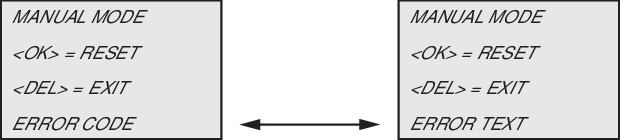
Reset the fault. | If an error occurs in manual mode, the display shows the following message:
|
Display alternates | |
| Press the |
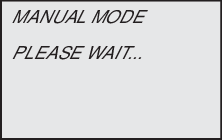
During the error reset, the following message is displayed:
After the error is reset, manual mode remains active. The display shows manual mode again. |
 key.
key.  or
or  key to set the required ramp time.
 key to switch between parameters "RAMP", "SPEED" and "BRAKE".
  key to start the
  key to stop the