SmartDrive
Proceed as follows:
- Select the Startup icon in the main menu and press the <OK> key.
- Startup is being prepared: The data of the last startup is read by the inverter.
- Select the drive train and press the 2nd function key.
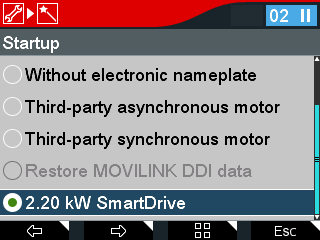
- Select SmartDrive startup.
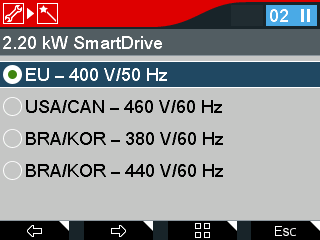
- Select the country code with the associated voltage value and frequency value for the smart motor (power-adjusted motor) and press the 2nd function key.
- The following query is displayed: "Do you want to activate startup state?"
- Press the <OK> key.
- The following message is displayed: "Smart setup ready".
- To start smart setup, press the <OK> key.
- After performing smart setup, the following message is displayed: "Smart setup finished".
- To exit startup, press the <Esc> key.

- The motor is ready for operation.
