Parameter direct access
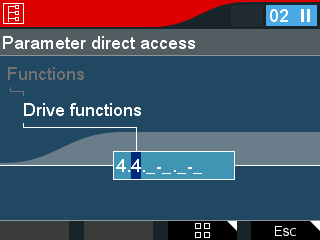

The Parameter direct access menu allows you to access the parameter via the parameter number. The parameter number can be found in MOVISUITE® in the tooltip of the required parameter.
INFORMATION

Not all parameter numbers are available in the keypad. Use the Parameter index access instead.
The digits of the parameter number build on each other logically:
- To adjust the first digit, use the arrow keys (up/down). The meaning of the digit is displayed in an auxiliary text.
- To switch to the next digit, press the <OK> key. The parameter group is above the selected digit. The last digit is the parameter name.
- Repeat the process until you have entered the complete number. This allows you to approach the desired parameter without knowing the number beforehand.
