Adding virtual axis
Proceed as follows:
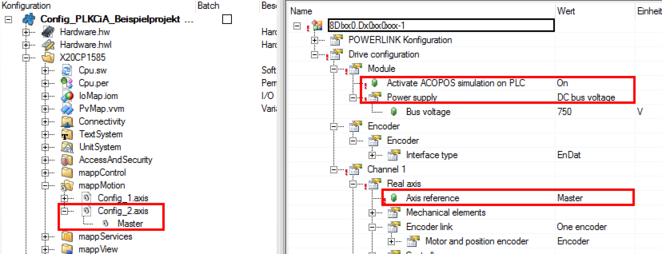
- Open the configuration of the PLC and add another "mappAxis" object in the "mappMotion" folder.
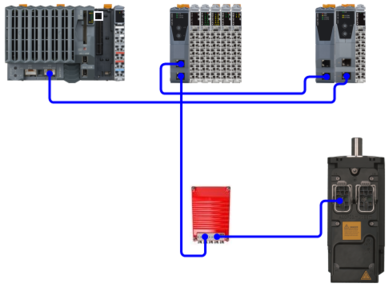
- Insert an axis (8DIxx0.Dx0xx0xxx-1 entry) from the hardware catalog into the System Designer and connect it to a free POWERLINK interface of the device topology.
- Open the configuration of the virtual axis and set the Activate ACOPOS simulation on PLC parameter to "On" and the Power supply parameter to "DC bus voltage". Select the previously created mappAxis as the axis reference.

- The "MpAxisBasic" function block is created in the program. The program assigns the address of the virtual axis to the MpLink parameter of the function block. This can be used to start the movement of the virtual axis.
- For more information on the parameters of the function block, refer to the online help of the Automation Studio engineering tool.
