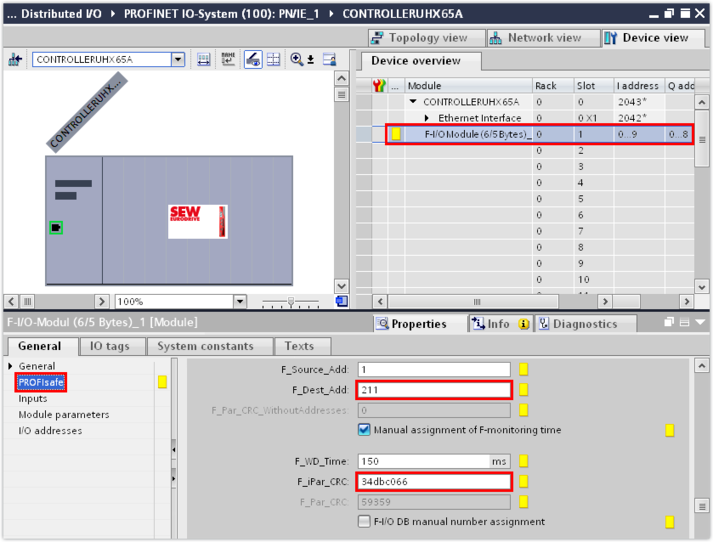
Entering safety parameters
Proceed as follows:
- In the inspector window (lower editor section), enter the safety parameters F_Dest_Add and F_iPar_CRC in the "PROFIsafe" group. The values for the parameters can be found in the acceptance protocol of the safety card (see F_iPar_CRC) or in MOVISUITE® in the F address and ParCRC bus (iPar_CRC) parameters ([Diagnostics] > [MOVISAFE® CS...] > [F-communication] parameter group). Make sure that the safety parameters in the PROFIsafe controller match the accepted safety parameters of the safety card.
- Set the F-watchdog (F_WD_Time) to at least 3 times the cycle time of the safety program. Typical values for the F-watchdog time are 150 ms or more. The cycle time of the safety program should not fall below 50 ms.