Setting the start view (settings)
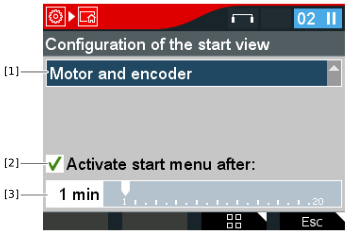

[1] | Select the menu that you want to set as the start view. |
[2] | The start view is activated automatically after the time set in [3]. |
- Select the menu Keypad settings > Configuration of the start view.
- In the Configuration of the start view menu, select the entry "Motor and encoder".
- Press the <OK> key.
- You have set the entry "Motor and encoder" as the start view.
