Setting the start view (function key)
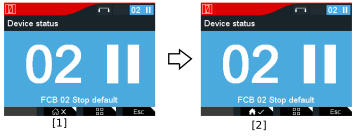

Proceed as follows:
- Select the menu that you want to set as the start view.
- Press the second function key [1].
- The following question is displayed: "Do you want to activate the current view as the start view?"
- Confirm with the <OK> key.
- You have set the menu as the start view.
- The symbol is displayed with a check mark [2].
