PROFINET alarms
The fieldbus interface supports diagnosis alarms in the event of a device fault. Diagnosis alarms are disabled in the delivery state. You can enable diagnostics alarms in the TIA Portal engineering tool in the device view.
{➢ The alarms of the lower-level inverters must be mapped to the corresponding process data slots in the IEC Editor. To do this, use the IEC functions LogicalDevice_Axis1.GetStateV2(...) and Fieldbus.Setalarm(...) or contact SEW-EURODRIVE Service.
Some MOVIKIT® software modules support the PROFINET alarm mechanism by default. For additional information, refer to the manual for the particular MOVIKIT® software module.
Proceed as follows:
- In the device overview, select slot 0 of the device.
- Switch on the diagnosis alarm in the inspector window (lower editor area) in the "Module parameters" group.
- Fault messages of the device (fault number and description of the fault) are reported as diagnosis alarm and are displayed as text in the module diagnostics.
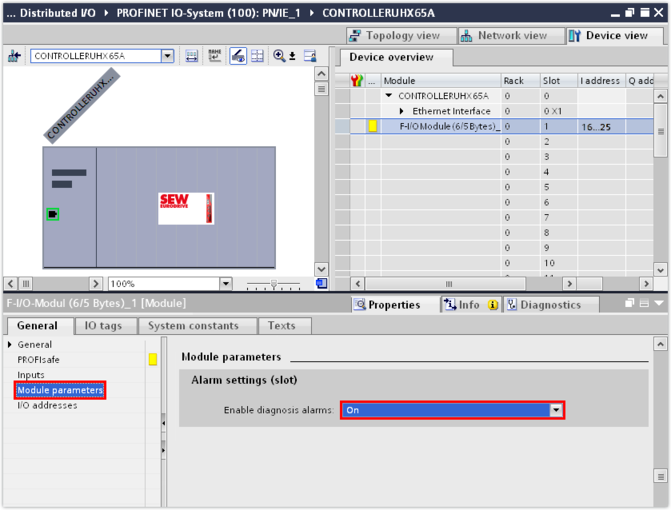
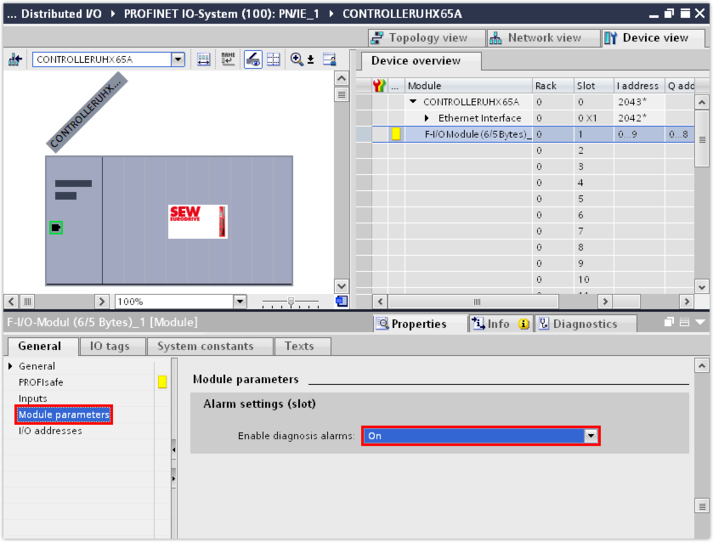
- For safe communication via PROFIsafe, the diagnosis alarm can be enabled additionally for the integrated safety card. To do so, select slot 1 of the device in the device overview.
- Switch on the diagnosis alarm in the inspector window (lower editor area) in the "Module parameters" group.
- Fault messages of the safety card (fault number and description of the fault) are reported as diagnosis alarm and are displayed as text in the module diagnostics.