Installing touch guard

WARNING

Missing touch guards and closing covers
Death or severe injuries due to electric shock.
- All modules are equipped with touch guards.
- Two closing covers are included with each power supply module.
- Reinstall all touch guards after installation work.
- Install closing covers on the first and final module in the axis system.
The following figure shows an example of the procedure for installing the touch guard.
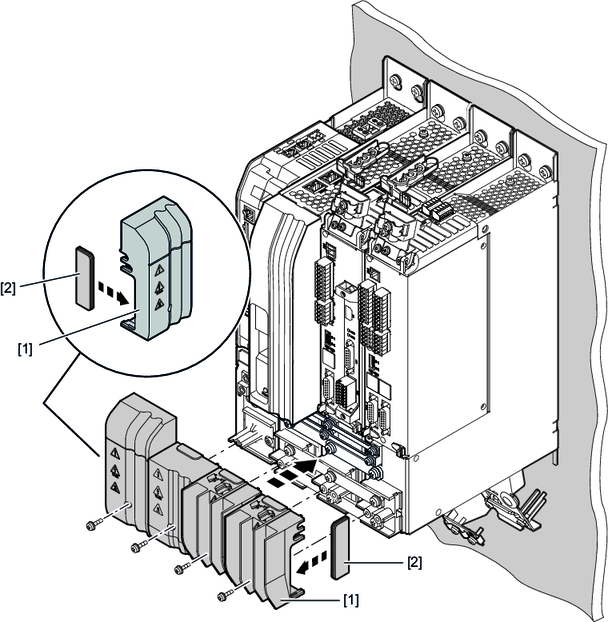
|
[1] |
Touch guard |
|
[2] |
Closing cover |
Proceed as follows:
- Insert the closing cover, see chapter Insert closing cover in touch guards, into the corresponding touch guard [1].
- Install the touch guard [1] on the respective module.
- Insert the screws and tighten them securely with the specified tightening torque, see chapter Permitted terminal tightening torques.
