Data management via the engineering tool of the EtherCAT® master
Proceed as follows:
- The EtherCAT® master is in the "Operational (OP)" operating mode.
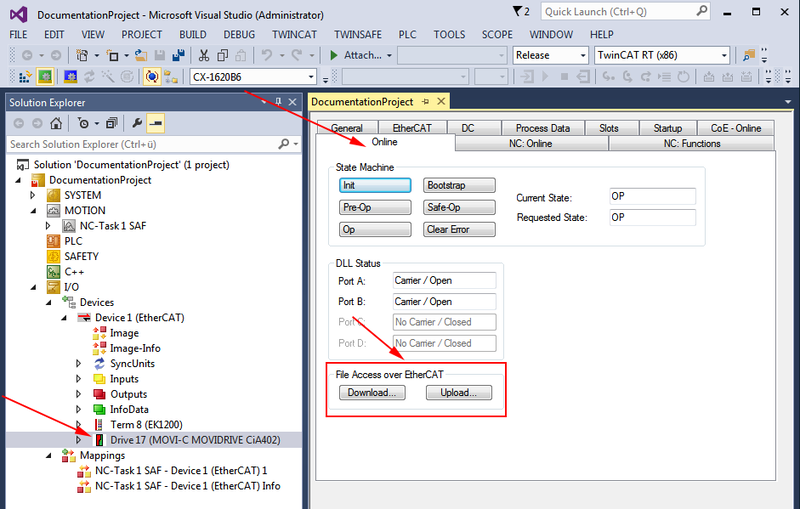
- In the [I/O] > [Devices] area of the project management, double-click the desired EtherCAT® slave and select the "Online" tab.
- If you want to save the parameter set of the inverter in the file structure of the engineering platform, click the [Upload] button in the "File Access over EtherCAT" group. A separate engineering PC or the EtherCAT® master can be used as an engineering platform.
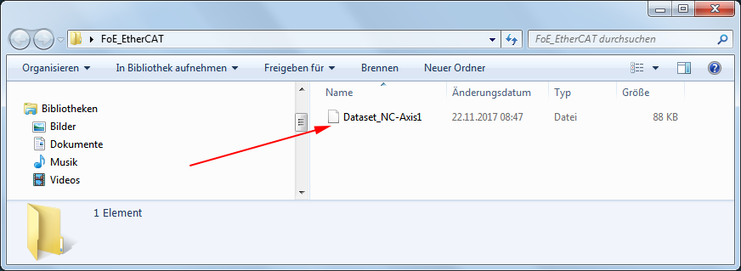
- In the predefined folder structure, select the
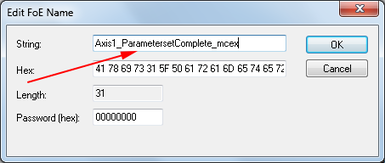
FoE_EtherCATfolder as the storage location of the file. - Enter a file name. If you also want to use the parameter set in the MOVISUITE® engineering software, set the
*.mcexfile type. - Transfer the parameter set to the user interface. A password is not required.
- The file is placed in the specified folder.
- If you want to download the parameter set to the inverter, click the [Download] button in the "File Access over EtherCAT" group.
- In the file structure of the engineering platform, select the storage location and the file and transfer the parameter set to the user interface.