PROFINET device name
In a MOVISUITE® project, you can assign a name to the inverter.
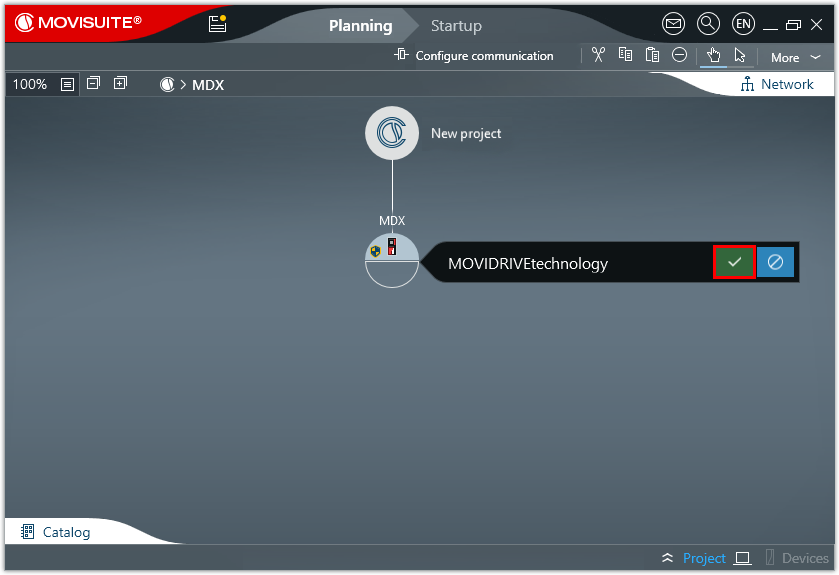

The device is displayed under this name in the MOVISUITE® project. By default, the MOVISUITE® device name is also used as the PROFINET device name.
Starting from the following software version and firmware versions, you can assign different MOVISUITE® device names and PROFINET device names:
Software/device | (Software/firmware) version |
|---|---|
MOVISUITE® | V2.40 |
MOVIDRIVE® technology MDX.. | Inverter: V10.00 Fieldbus option: V6.00 |
MOVITRAC® advanced MCX.. | Inverter: V10.00 Fieldbus option: V6.00 |
Decentralized inverters in the | Inverter: V10.00 Fieldbus option: V6.00 |
You can remove the fixed coupling of the MOVISUITE® device name and PROFINET device name under [Device properties] > [Communication] > [Fieldbus]. This allows you to freely choose and change the MOVISUITE® device name without affecting PROFINET communication.
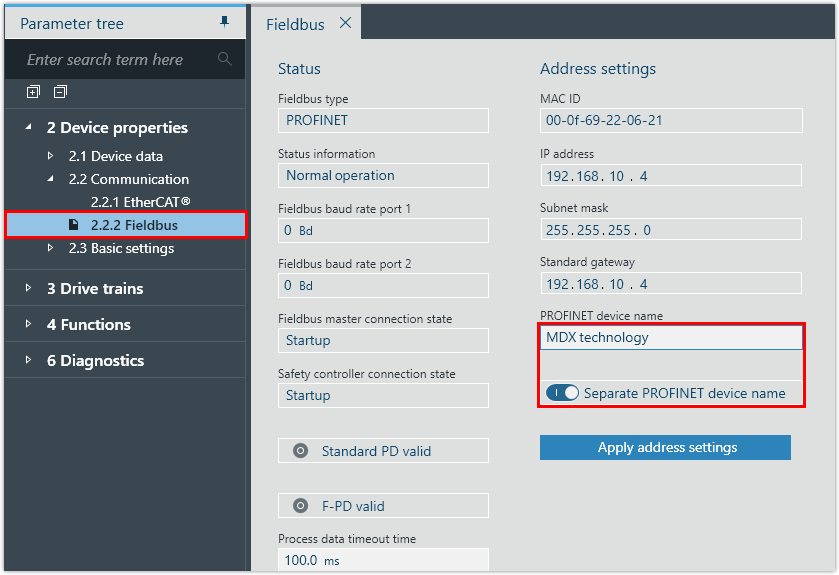
Make sure that the PROFINET device name in the MOVISUITE® project is identical to the PROFINET device name that you assign to the inverter in the engineering tool of the PLC (e.g. TIA Portal). If the inverter has different PROFINET device names in the two tools, a bus error is reported.
INFORMATION

To ensure that the device name of the inverter complies with both PROFINET and IEC61131, SEW‑EURODRIVE recommends assigning a device name that meets the following requirements:
- The device name must not start with a number. The first character must be a letter.
- The device name must not contain spaces or control characters, such as hyphen, underscore, period, colon, comma, slash, or backslash.
- When the MOVISUITE® project is imported into TIA Portal, TIA Portal converts the device name using an internal algorithm. A device name in accordance with the defined naming conventions makes it possible that the inverter appears under the same device name in the various tools.
- If a device name in accordance with the naming conventions is not possible, select a PROFINET‑compliant name. In this case, the IEC61131 compliance is automatically created by MOVISUITE®.
The PROFINET device name is retained when the delivery state is restored. To restore the delivery state in MOVISUITE®, click the "Delivery state" button in the parameter group [Basic settings] > [Reset device parameters].
