Setting the configuration parameters of the ECC-DFC fieldbus controller
The ECC-DFC fieldbus controllers are configured in the TIA Portal:
- Open the "General" [1] tab in the TIA Portal.
- Select the [Module parameters] menu command [2].
- Here, you can configure all the settings for the ECC-DFC fieldbus controller.
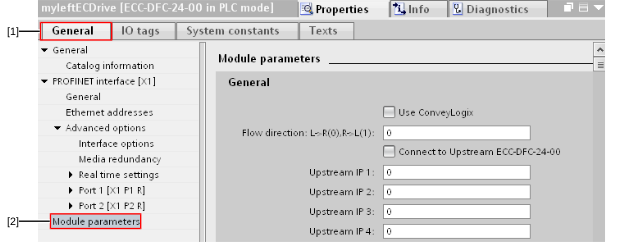

[1] | "General" tab |
[2] | Module parameters |
In contrast to the configuration with ECShell, the configuration parameters in "full PLC configuration" are written again every time the bus is started up.
