Performing fieldbus diagnostics in the IEC Editor
The IEC Editor has a fieldbus monitor. This enables both monitoring of the real fieldbus data and local control.
Proceed as follows:
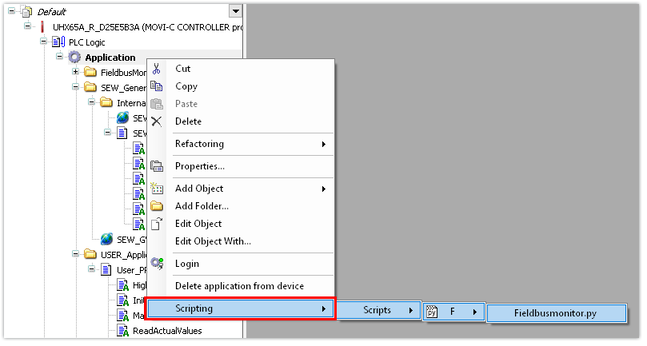
- To activate the fieldbus monitor, right-click in the device tree to open the shortcut menu of the application. Select the [Scripting] > [Scripts] > [F] > [Fieldbusmonitor.py] menu command.
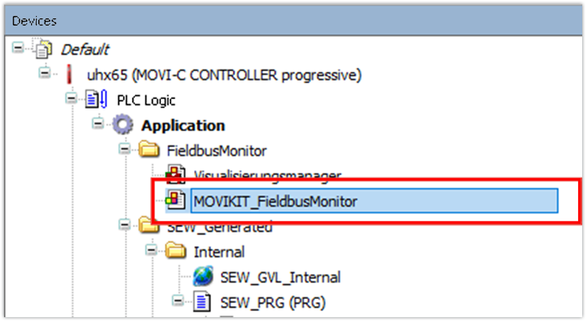
- The fieldbus monitor is displayed in the [Application] > [FieldbusMonitor] folder.
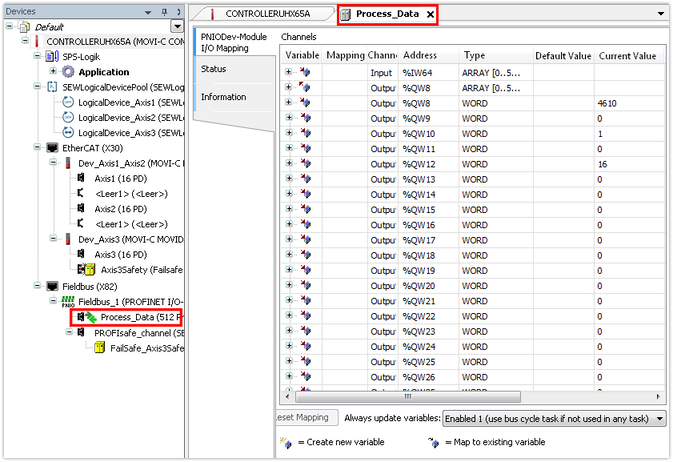
- Alternatively, you can view the process data in the [Fieldbus] area.