Scanning the network for devices
INFORMATION

For detailed information on how to use the MOVISUITE® engineering software, refer to the corresponding documentation.
Proceed as follows:
- The connection between the engineering PC and MOVI-C® CONTROLLER is established.
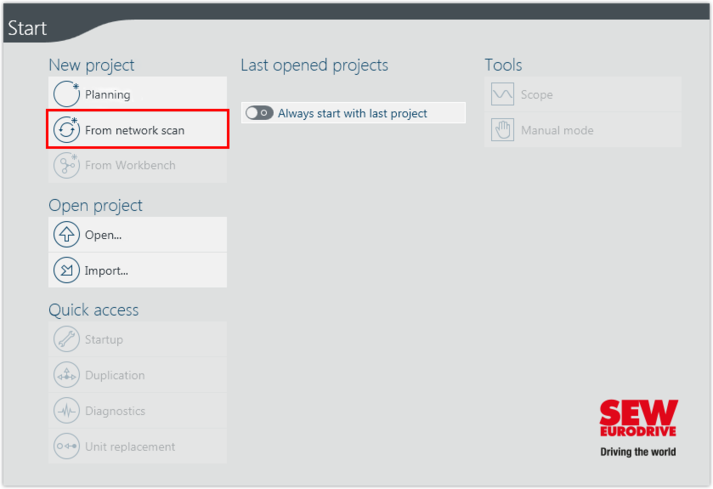
- Start the MOVISUITE® engineering software.
- Create a new MOVISUITE® project from a network scan.
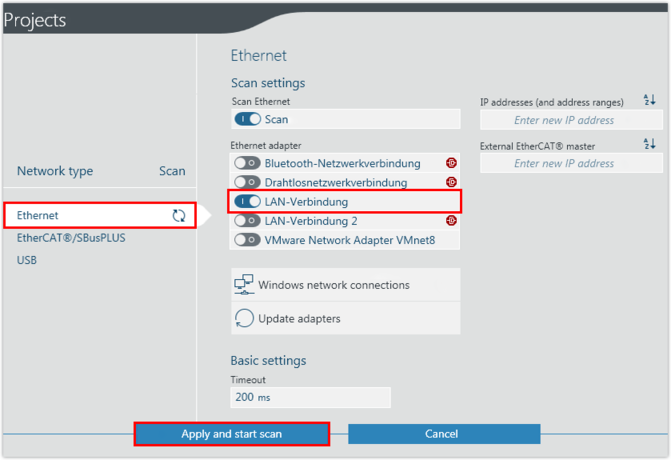
- Select the network type (Ethernet) and activate the configured adapter (LAN connection). Apply the settings and perform the network scan.