Installing the line filter
INFORMATION

Note that the inverter must be installed in the control cabinet before you install the line filter.
Proceed as follows:
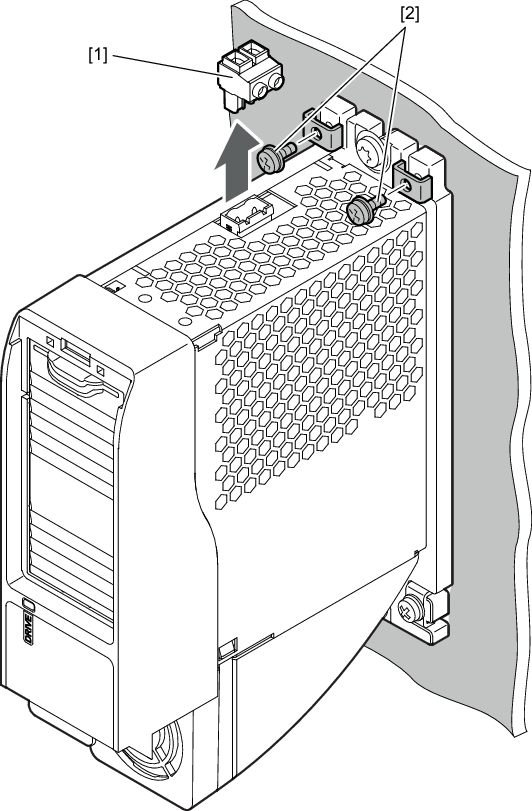
- Remove the power plug [1] from the inverter.
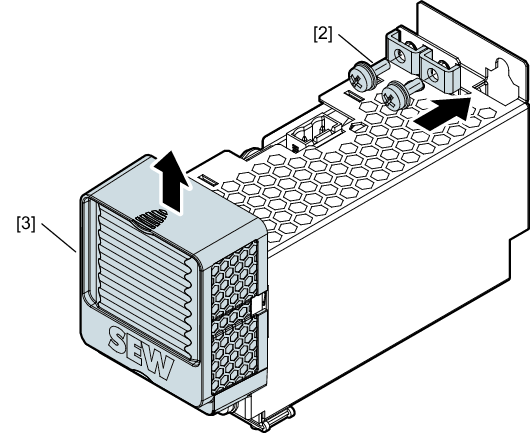
- Unscrew both PE screws [2] from the inverter and remove the terminal boards.
- Place terminal boards underneath the two PE screws [2] and screw them back onto the line filter.
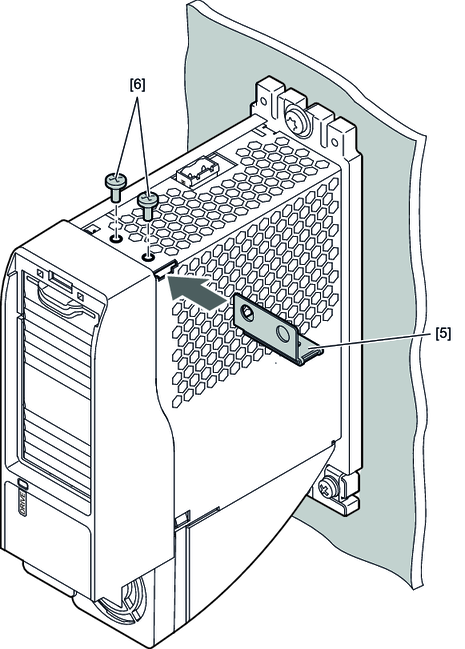
- To make the two mounting holes accessible, slide the plastic cover upward.
- Slide the fastening plate [5] into the designated recess in the inverter housing. Fasten the mounting plate using 2 retaining screws [6].
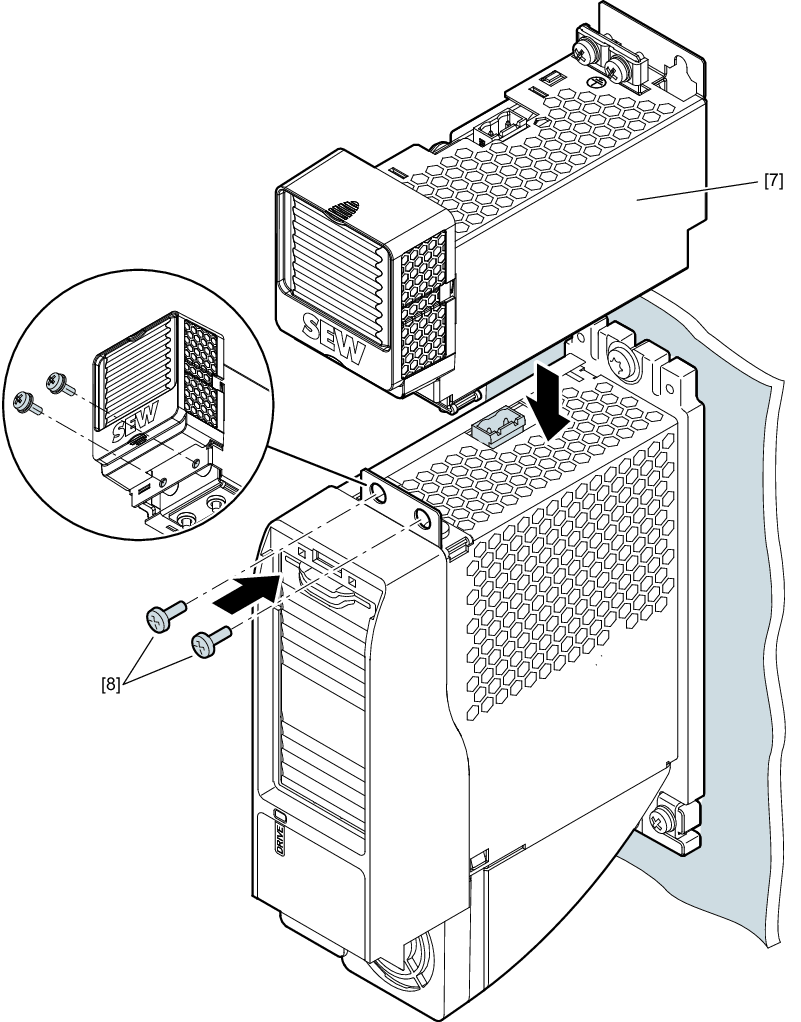
- Place the line filter [7] onto the inverter so that the power plug of the line filter fits into the socket contact on the inverter.
- Screw in the 2 retaining screws [8].
- Slide the plastic cover down.
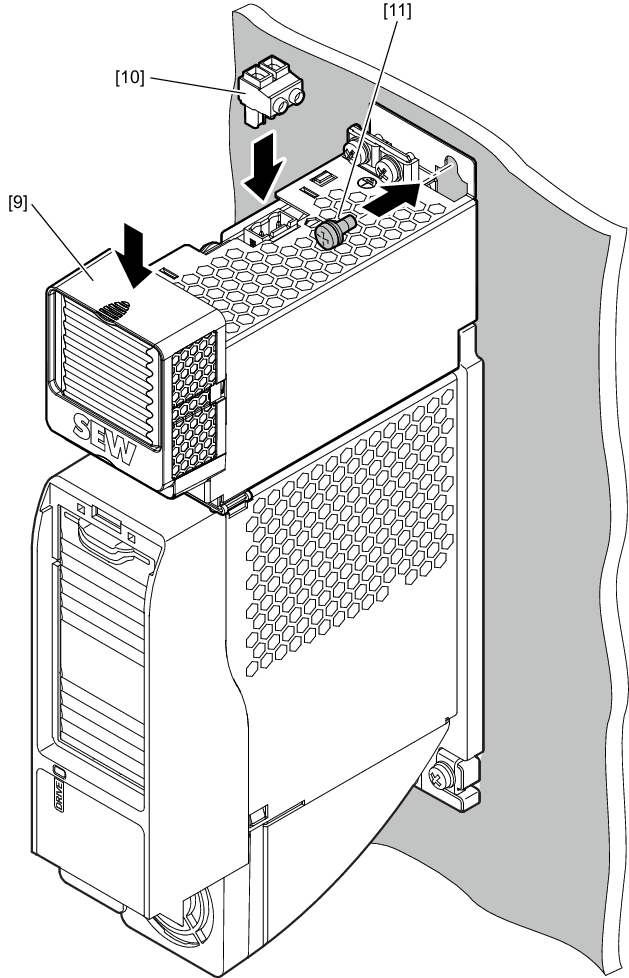
- Insert the power plug [10] into the socket contact of the line filter.
- Screw in the retaining screw [11] on the line filter.