Removing and attaching the cover
The digital and analog inputs/outputs are equipped with a cover [1].
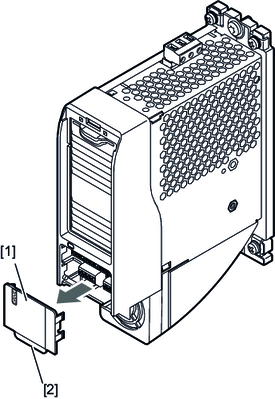

Removing the cover
Proceed as follows:
- Pull the tab [2] with your finger.
- Remove the cover.
Attaching the cover
Proceed as follows:
- Place the cover onto the housing, the plastic detents facing the housing.
- Push it inwards.
