Scanning the network for devices
Proceed as follows:
- The connection between engineering PC and inverter is established using the USM21A interface adapter.
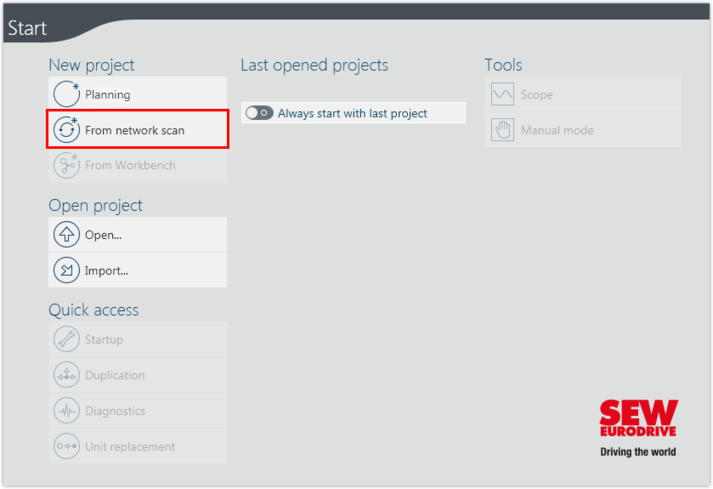
- Start MOVISUITE®.
- Create a new MOVISUITE® project from a network scan.
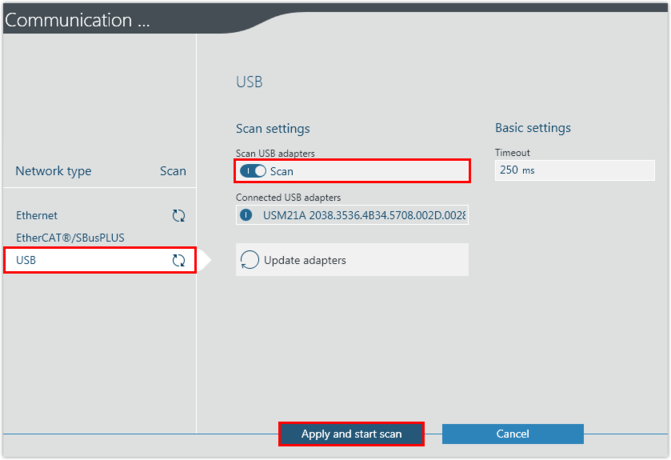
- Activate the network type "USB" and the slide switch "Scan".
- If you are connected with the inverter via another interface, select the matching network type.
- Apply the settings and perform the network scan.

INFORMATION