Configuration in MOVISUITE® standard
Engineering tasks for components from the MOVI‑C® modular automation system from SEW‑EURODRIVE are performed using the MOVISUITE® standard engineering software. USM21A interface adapters are also configured in MOVISUITE® standard.
Proceed as follows:
- You have installed the required version of the engineering software on the engineering PC. For information on the required version, refer to Requirements.
- You have not started an engineering software on the engineering PC.
- Start MOVISUITE® standard.
- Click [From network scan].
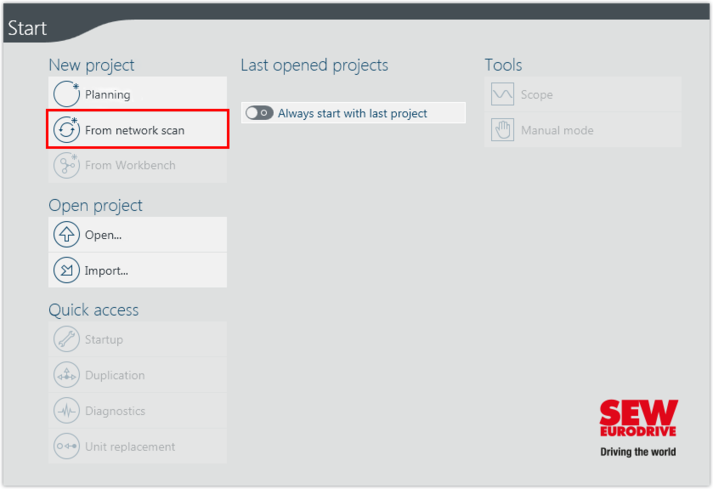
- The "Communication..." window opens.
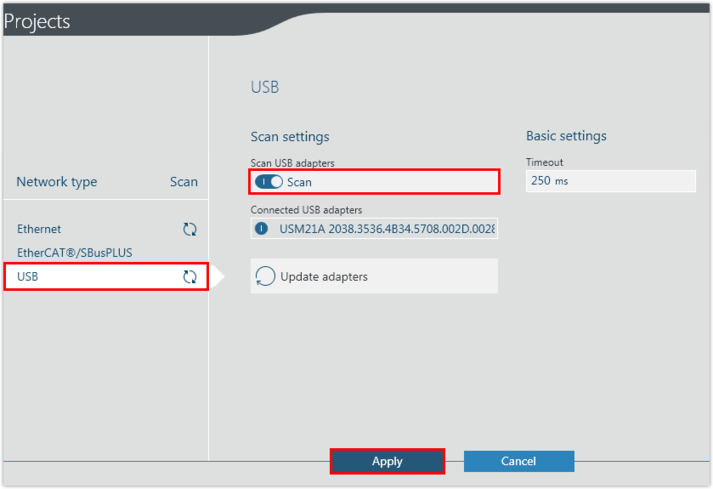
- Click [USB].
- Activate the "Scan" slide switch.
- Click [Apply] to start scanning.