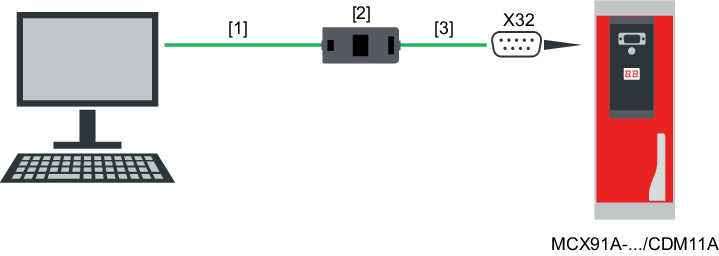
Connection via USM21A interface adapter to CDM11A diagnostic module
For devices with a CDM11A diagnostic module, engineering is performed via the diagnostic module.
You can use the USM21A interface adapter to connect the PC to the X32 engineering interface of the device.
The connection is established via the X32 interface of the diagnostic module.
The data is transferred according to the USB 2.0 standard. It is also possible to work with a USB 3.0 interface.
You need the following components for the connection:
Component | Part number |
|---|---|
USM21A interface adapter The following connection cables are included in the scope of delivery:
| 28231449 |
RJ10/D-Sub9 connection cable for connecting to the X32 engineering interface
| 18123864 |
CDM11A diagnostic module | 28265092 |
Additional information