Binary mode (hardware controlled)
In binary mode, you can control 2 drives via 24 V signals. The following control commands are available for each drive:
- Enable/stop
- Direction of rotation preselection
To activate binary mode, proceed as follows:
- Click the [Advanced dialog] button in the main menu of ECShell.
- Open the "Configuration" tab.
- Click the [Activate hardware-controlled mode] button.
- Click the [Set all] button.
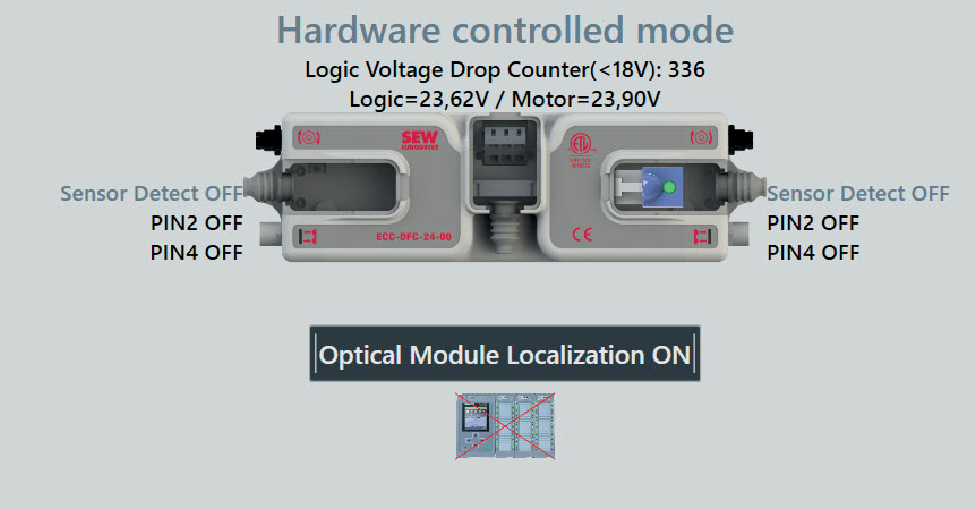
- Binary mode is active.
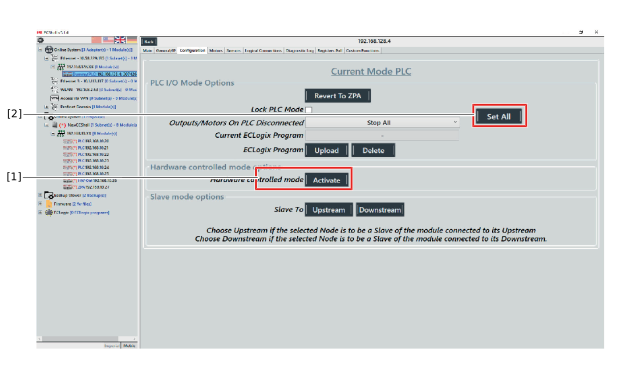

[1] | [Activate hardware-controlled mode] button |
[2] | [Set all] button |
Once binary mode is activated, the display in the ECShell main menu changes.