Curve change at the end of the cam profile
A curve change at the end of the cam profile can be implemented as follows, for example:
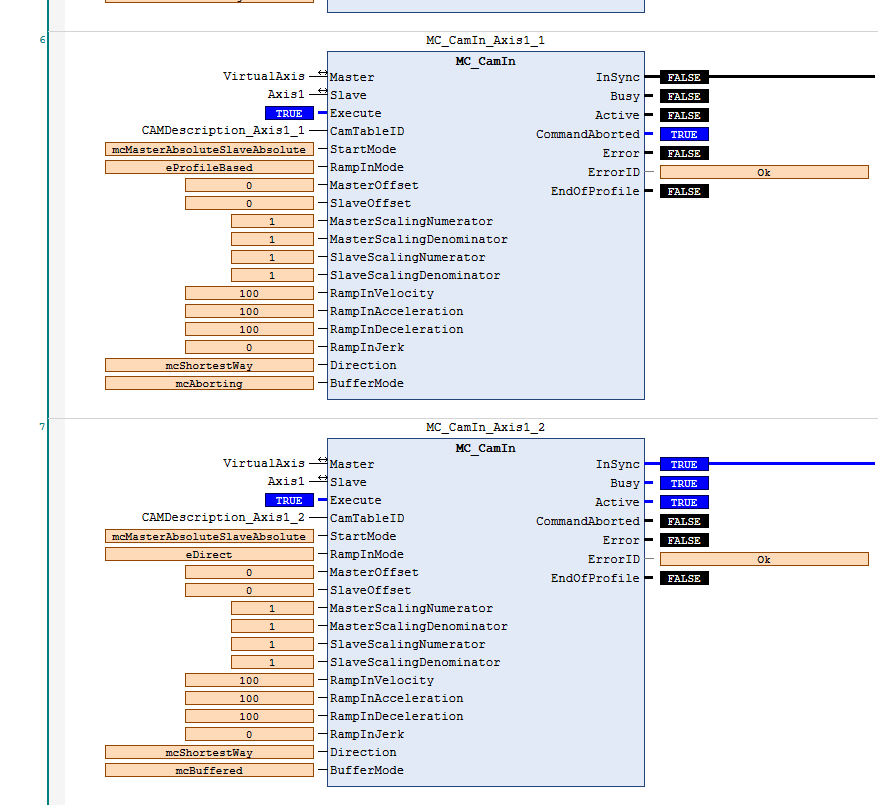
- Call up another instance of the MC_CamIn block.
- Transfer the desired new curve to this instance as CamTableID.
- Set the BufferMode input to "mcbuffered".
- Apply a rising edge to the Execute input at the desired time.

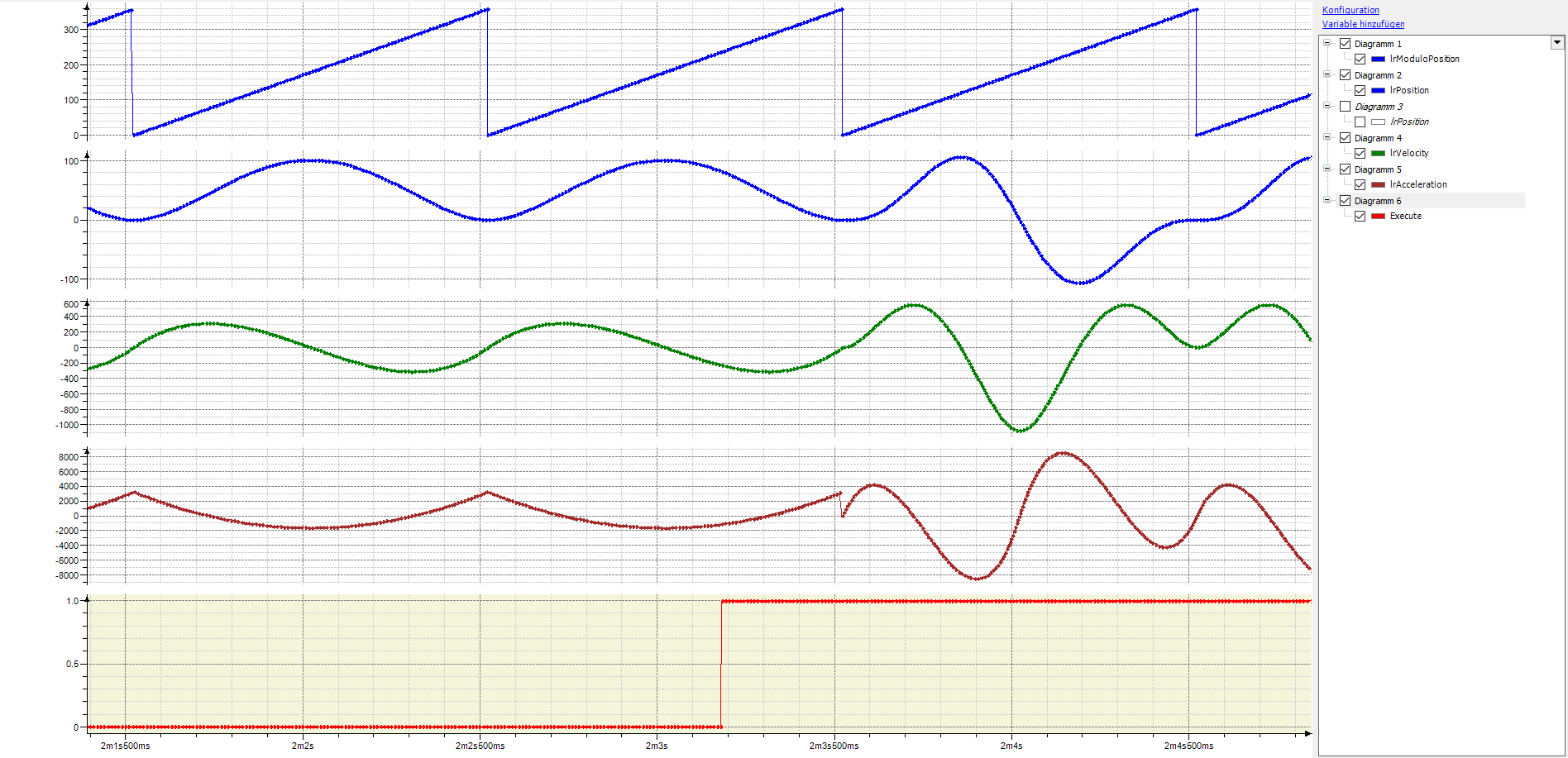
The following trace recording shows the resulting setpoint curve. Although the RampInMode input is set to "eDirect", the setpoint curve does not jump to the new cam profile on the rising edge of Execute, but only at the end of the active cam profile. The transition is smoother because both cam profiles start and end with the same positions and speeds.