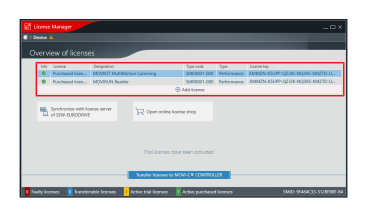
Restoring a software license
If no activated purchased licenses are visible in the License Manager or if a missing license file is reported, it can be restored. You can restore software licenses using both MOVISUITE® and the MOVIRUN® open editor. To restore the software licenses, proceed as follows:
- There is an active connection between MOVISUITE® or the MOVIRUN® open editor and the MOVI-C® CONTROLLER.
- An engineering PC with Internet connection is available.
- You have purchased one or more software licenses and received the associated license keys.
- The software license has already been activated for the memory card of the MOVI-C® CONTROLLER used.
- The software license is reported as missing.
- Establish a connection to the MOVI-C® CONTROLLER with your engineering PC.
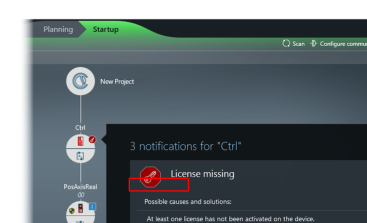
- Open the License Manager. If you are using MOVISUITE®, you can access the License Manager via the context menu of the MOVI-C® CONTROLLER or via the error message. If you are using the MOVIRUN® open editor, open the "License Manager" tab.
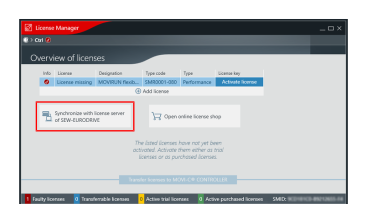
- Synchronize the software licenses with the SEW-EURODRIVE license server. If you are using MOVISUITE®, click the [Synchronize with license server of SEW‑EURODRIVE] button to do so. If you are using the MOVIRUN® open editor, click the [Synchronize with Licenses on the SEW License Server] button.
- All software licenses already activated on this memory card are reloaded by the SEW-EURODRIVE license server and are available for transfer to the MOVI-C® CONTROLLER.
- Transfer the software licenses to the MOVI-C® CONTROLLER. If you are using MOVISUITE®, click the [Transfer licenses to MOVI-C® CONTROLLER] button to do so. If you are using the MOVIRUN® open editor, click the [Transfer server licenses to plc] button.

- The status of the software licenses in the License Manager is now up-to-date again.