Use in IT systems
Deactivating the EMC capacitors
Proceed as follows:
- Disconnect the inverter from the power.
- Check if the inverter is de-energized.
- Remove all connectors.
- The nameplate is attached to the left side of the inverter (as viewed from the front). A circular marking with the imprint "EMC" is attached to the nameplate.
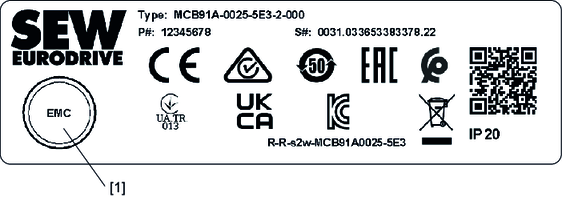

[1] | EMC marker |
- Cut out the EMC marker using a suitable tool.
- Unscrew the accessible screw [2] from the board.
- Insert the supplied washer [3] under the screw [2] and tighten the screw again.

[2] | Screw |
[3] | Washer |
