Installing a card
Observe the safety notes in chapter Electrical installation.
For information on which option card can be installed in which slot, refer to chapter Device structure > "Card slots".
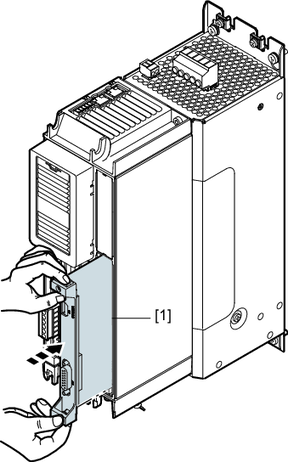
The procedure shows an example of the installation of a multi-encoder card CES11A.
- Disconnect the inverter from the power. Switch off the external 24 V voltage supply for the electronics and the line voltage supply.
- Before starting work, ensure electrostatic discharge with suitable measures. Suitable measures for equipotential bonding include, for example, using a discharge strap or wearing conductive shoes.
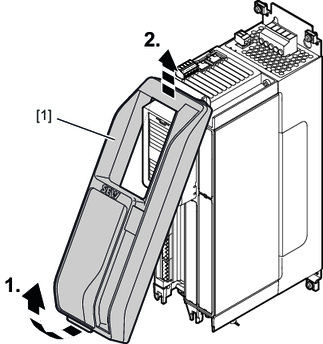
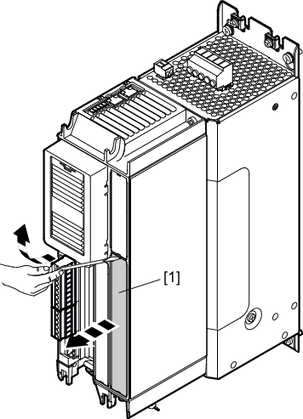
- Remove the safety cover [1] from the front of the inverter. The slot in which the card is installed depends on the card used.
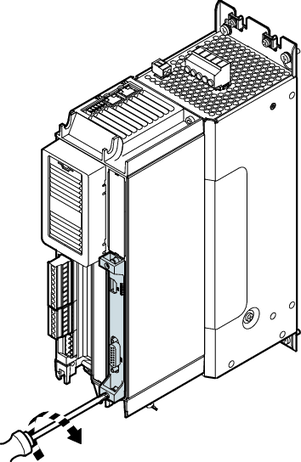
- Remove the plastic cover [1] of the card slot using a screwdriver.
- Take the card [1] and insert it into the slot with slight pressure.
- Screw in the card with the specified tightening torque.
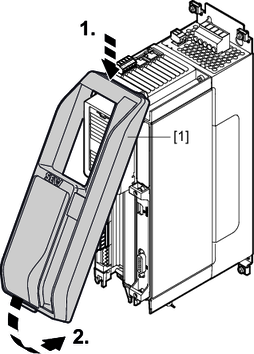
- Attach the safety cover [1] to the front of the inverter again.

INFORMATION

Hold the card by its edges only.