Configuring PROFINET parameters
Proceed as follows:
- You have checked in the Windows prompt that a communication connection has been established to the inverter via Ethernet/PROFINET (see Requirements for operation).
- You have inserted the inverter in a TIA Portal project, and the inverter is connected with the PLC.
- Assign a PROFINET device name to the inverter.
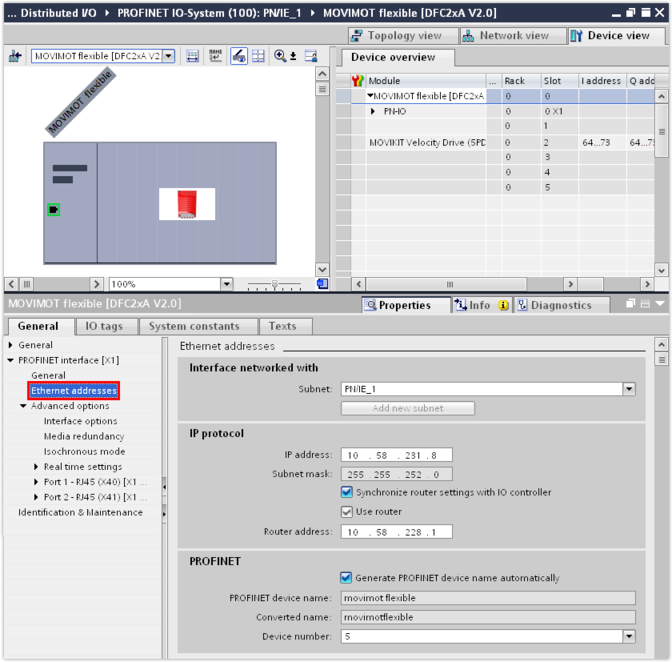
- Enter the IP address parameters of the inverter in the [Ethernet addresses] group.
- Set the cycle time and, if required, other PROFINET parameters.
- Load the project to the PLC via the programming interface used.
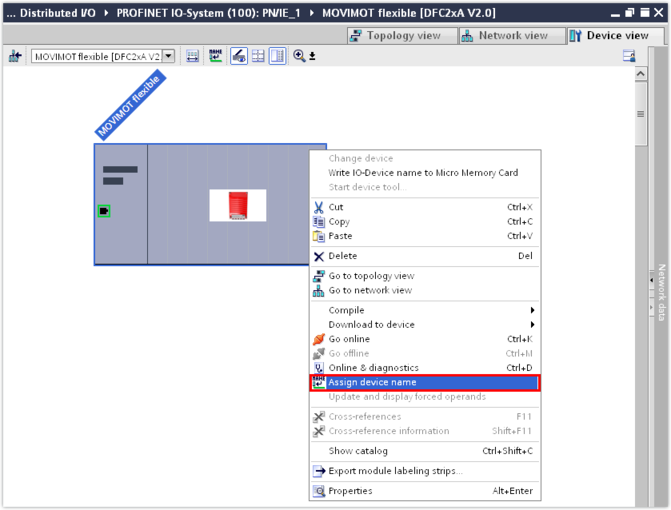
- Assign the specified PROFINET device name to the inverter. To do so, right-click to open the context menu of the inverter and select [Assign device name].