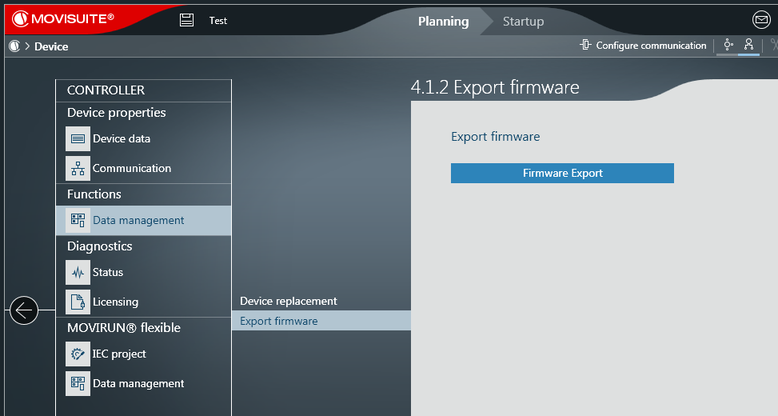
Exporting a firmware image
- Create a new project in MOVISUITE® via "Planning" in the "Start" menu.
- In the function view of the MOVISUITE® project, add the required MOVI-C® CONTROLLER in the required version.
- Click the MOVI-C® CONTROLLER in the MOVISUITE® project.
- In the "Functions" section, open the "Data management" submenu and the "Export firmware" menu.
- Click the [Firmware Export] button in the "Export firmware" menu.
- Navigate to the export directory and confirm your selection by clicking [OK].
- The firmware of the MOVI-C® CONTROLLER is stored in the selected export directory as a zip file (file name: FS.zip).