MOVISUITE®
The following section shows a sample evaluation of a fault message in MOVISUITE®:
- Open the parameter tree in MOVISUITE®.
- In the parameter tree, select the "Status" node [1].
- The current fault messages can be found in the "Fault status" group [3].
- Additional information on the causes for the "Not ready” status can be found in the "Device status" group [2].
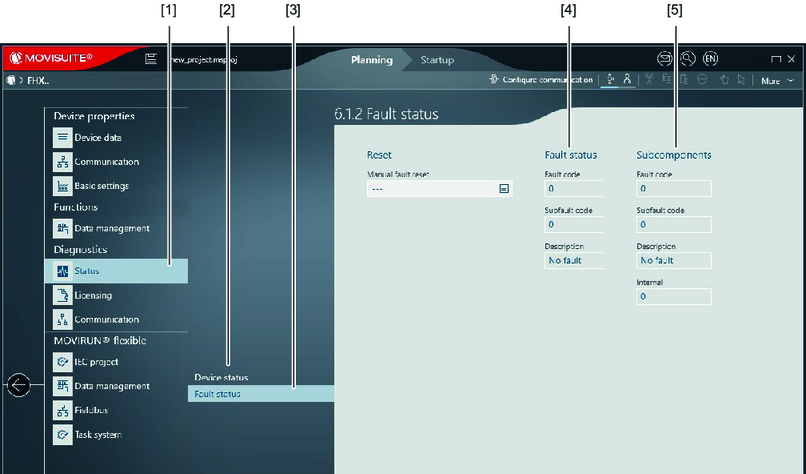

[1] | Status | [4] | Fault status of the main component |
[2] | Device status | [5] | Fault status of the subcomponent |
[3] | Fault status |
|
|
