Setting up the project path
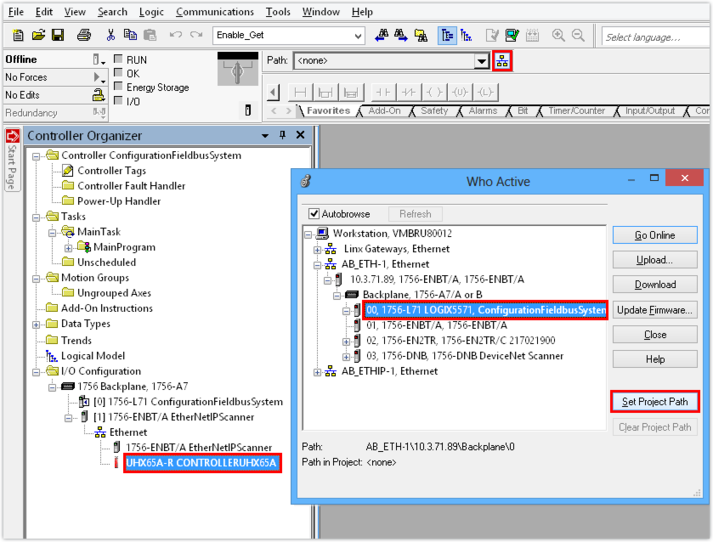
A project path is necessary for setting up a connection between the engineering PC and the PLC.
Proceed as follows:
- You have configured the controller.
- In the "Controller Organizer", select the controller and click on the network icon
 in the toolbar.
 - Set the project path to the relevant PLC.
- In this example, the PLC is ControlLogix® 1756-L71.