Loading the Logix Designer project to the PLC
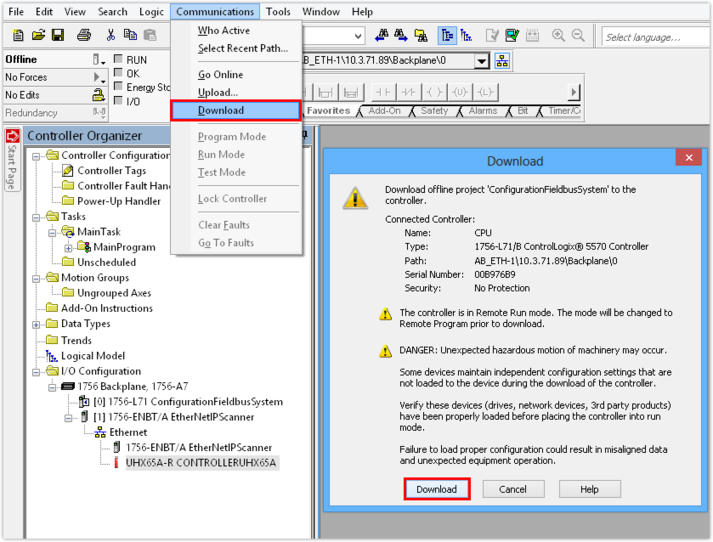
Data () that has been assigned to the fieldbus stations during configuration is first defined only in the Logix Designer project on the engineering PC. The data is transferred to the PLC and activated only when the project is loaded to the PLC.
Proceed as follows:
- You have configured the controller.
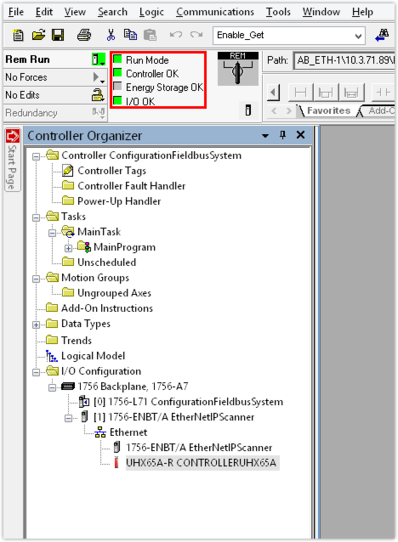
- Load the project to the PLC and then switch to RUN mode.
- As soon as you have set up the connection between the PLC and the controller, the message bits in the online toolbar turn green.