Grouping devices
For a better overview, the configured devices can be grouped in the software. This way, you can define certain settings for one group and thus for all devices within this group.
Perform the following steps to group devices:
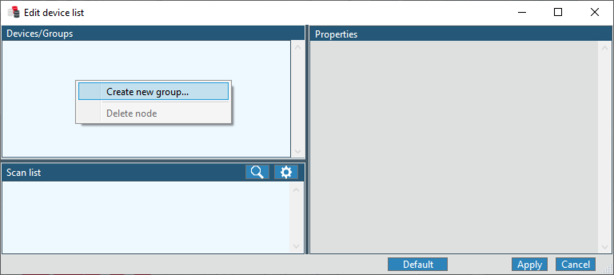
- In the Configuration editor, right-click the context menu of the "Devices/Groups" area and select the "Create new group..." menu item.
- A window opens where you can specify the group name.
- Enter the group name and click [OK].
- The group is added to the "Devices/Groups" area.
- Add devices from the "Scan list" or from the "Devices/Groups" area to the group using drag & drop.
- Mark the created group in the "Devices/Groups" area.
- The properties of the group are displayed.
- Configure the group using the available setting fields. The following properties and settings are available for the groups:

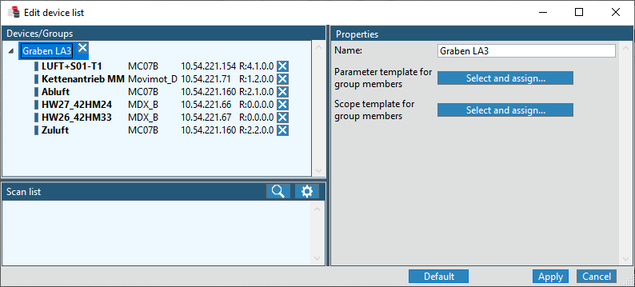
- Name of the equipment group
- Parameter template for group members
- Select a file in which the device parameters are described that will be recorded once the interval has elapsed. The template file is assigned to all devices that are members of the group. A template file already assigned to the device is overwritten.
- Scope template for group members
- Select a file containing the settings for the scope recording. The template file is assigned to all devices that are members of the group. A template file already assigned to the device is overwritten.
