Resetting user management
Visualization requires that you set up and use a user management. Do the following to reset the user management:
- A connection to the device has been established.
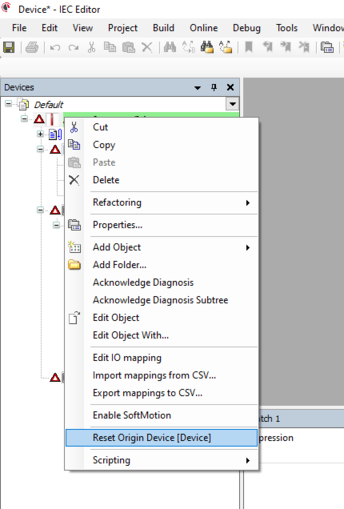
- Open the context menu of the device in the device tree.
- Select the [Reset origin device] menu item.
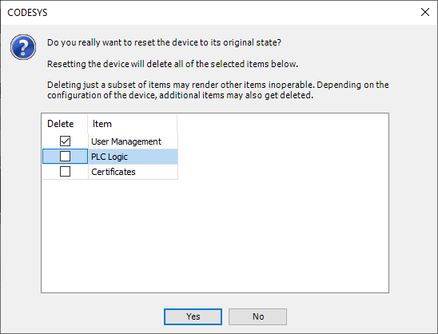
- A dialog window for selecting the objects to be reset is displayed.
- In the dialog window, activate only the "User management" option. INFORMATION: If you activate all options in the dialog box, all data on the MOVI-C® CONTROLLER will be deleted (e.g. alarms, recipes, visualization).

- The current user management is deleted.
- The next time you log in, a prompt appears asking you to create a new user. See Transferring and starting a visualization project.
