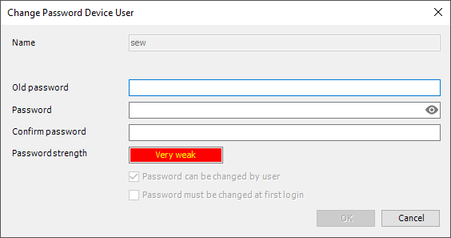
Changing the device user password
Do the following to change the password of the device user:
- A connection to the device has been established.
- The user whose password is to be changed is logged in.
- In the [Online] menu, open the [Security] submenu and click the [Change device user password...] menu item.
- A query of the old password is displayed.
- Instead, you can select the user in the "Users and groups" tab in the configuration of the device, and click [Edit].
- Enter the old password and confirm your entry with [OK].
- The "Edit user" dialog box is displayed.
- Enter the new password and confirm your entry with [OK].
- The password of the device user has been changed.