Activating the ping function
The ping function for checking an available network connection is deactivated by default on the Windows part of the MOVI-C® CONTROLLER. To test the established network connection, it is recommended that the ping function be activated.
Carry out the following steps to activate the ping function:
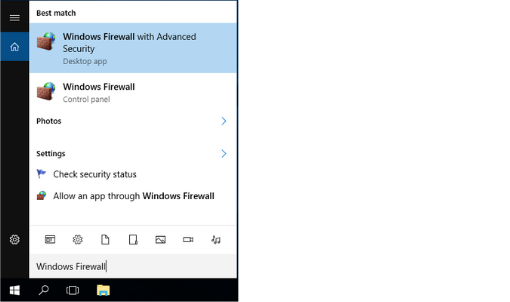
- Open the Start menu on the Windows part of the MOVI-C® CONTROLLER and enter "Windows Firewall with Advanced Security".
- Open the "Windows Firewall with Advanced Security" desktop app.
- Click the "Inbound Rules" object and activate the following rules using the [Enable Rule] button on the right (active rules are indicated by a green symbol):
- File and Printer Sharing (Echo Request - ICMPv6-in)
- File and Printer Sharing (Echo Request - ICMPv4-in)

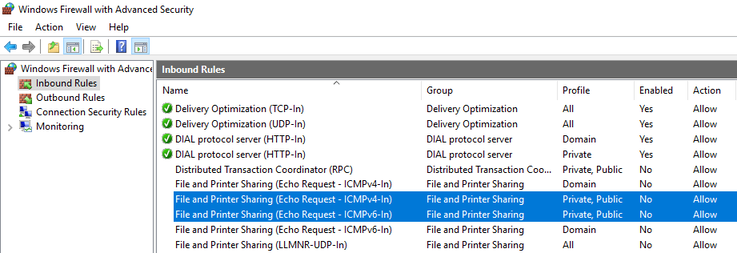
- The ping function is now activated for external access. Active rules are indicated by a green symbol.
